
FlickDrop, Your discs, scanned and sorted
Scan a barcode. Know what you own.
A private, edition-accurate catalog for people who still buy movies on disc. Point the camera at a case and FlickDrop files the exact release by genre, tells you what is streaming and what is disc only, and stops you buying the same film twice.
FlickDrop is not on the App Store yet.
iPhone, iPhone Duo and iPad
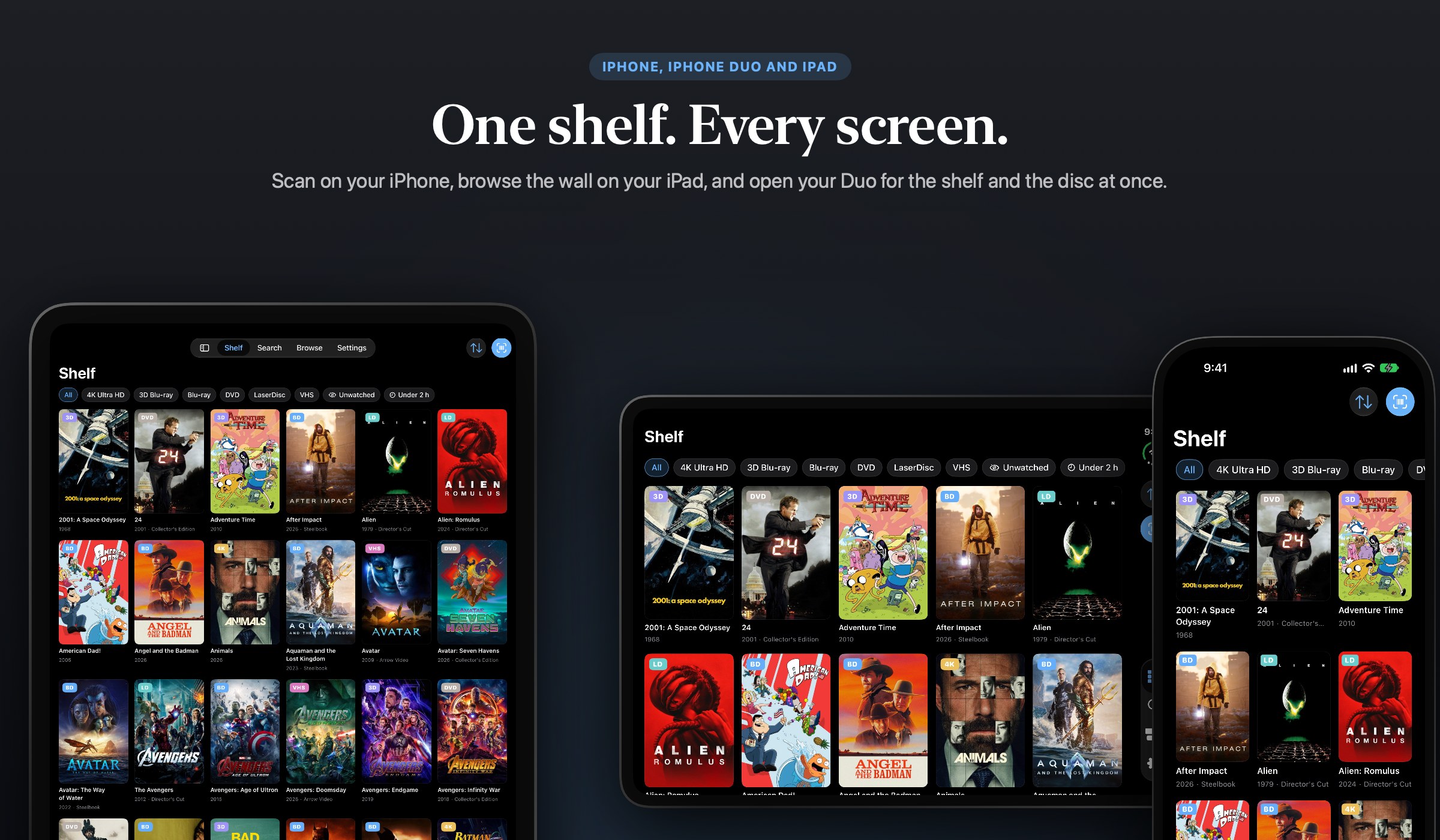
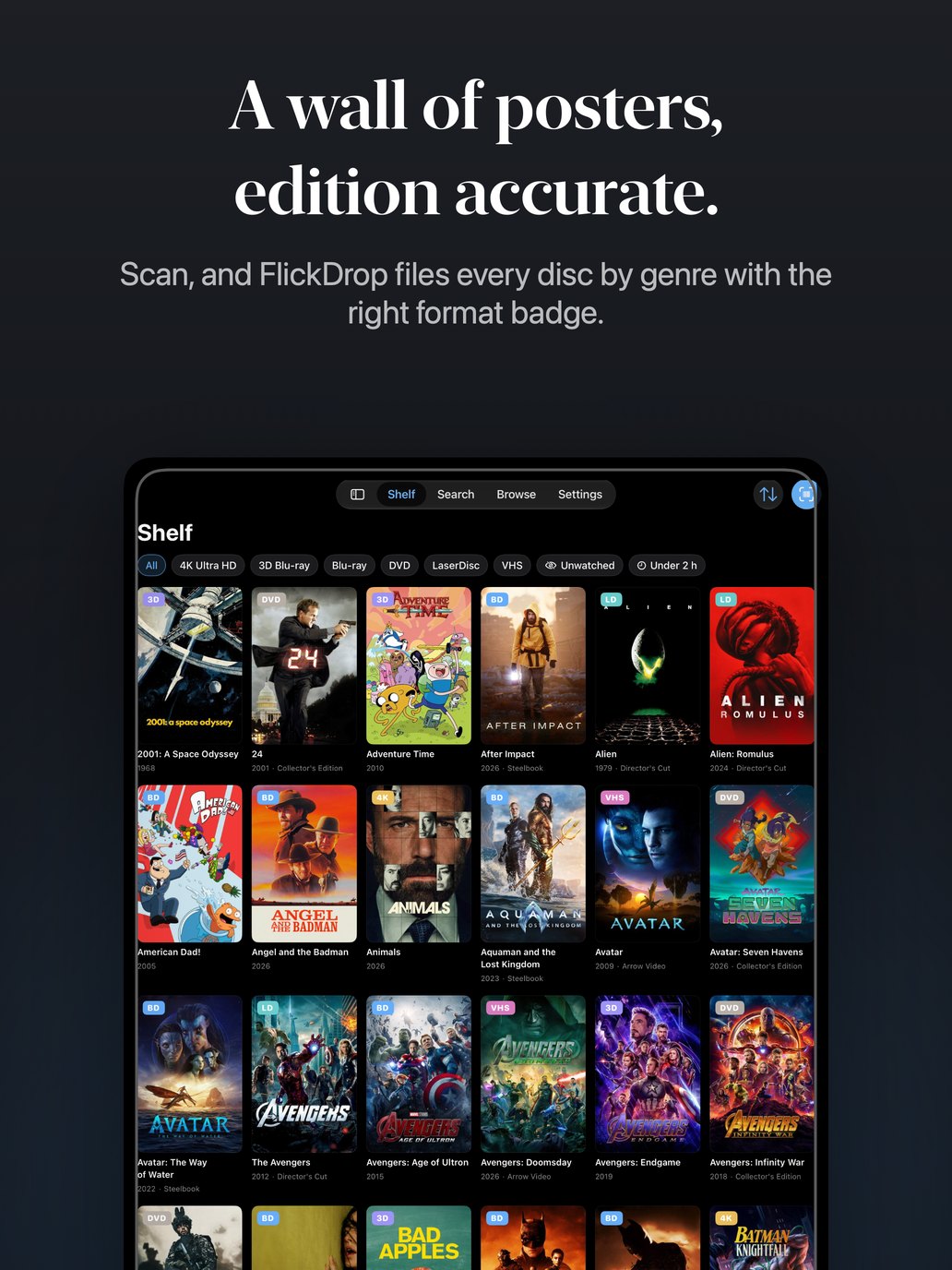
One shelf, every screen
Scan on your iPhone, browse the poster wall on your iPad, and open your iPhone Duo like a book for the shelf on one page and the disc on the other. Your collection syncs between them through your own iCloud.
Several barcodes in one frame
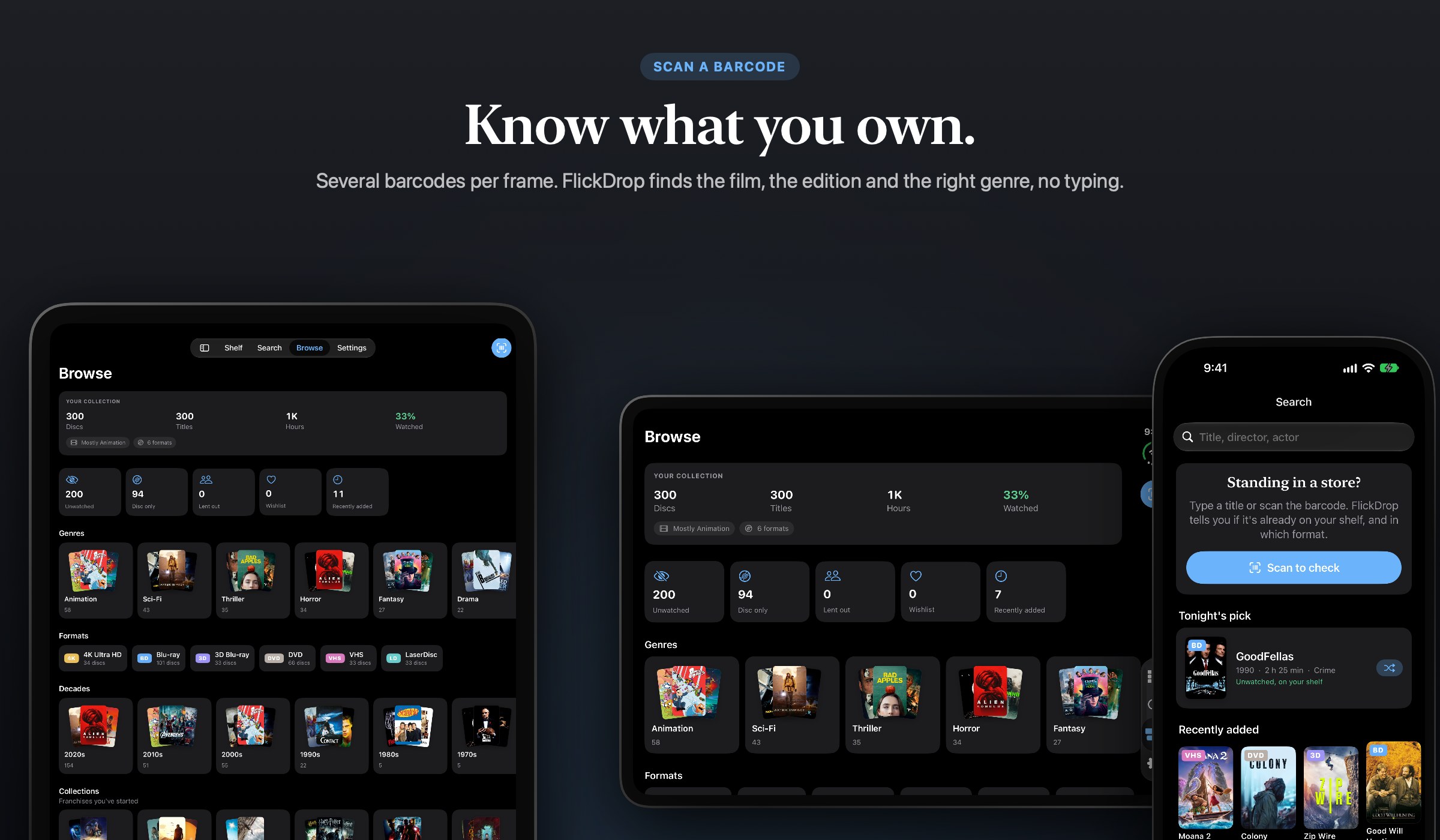
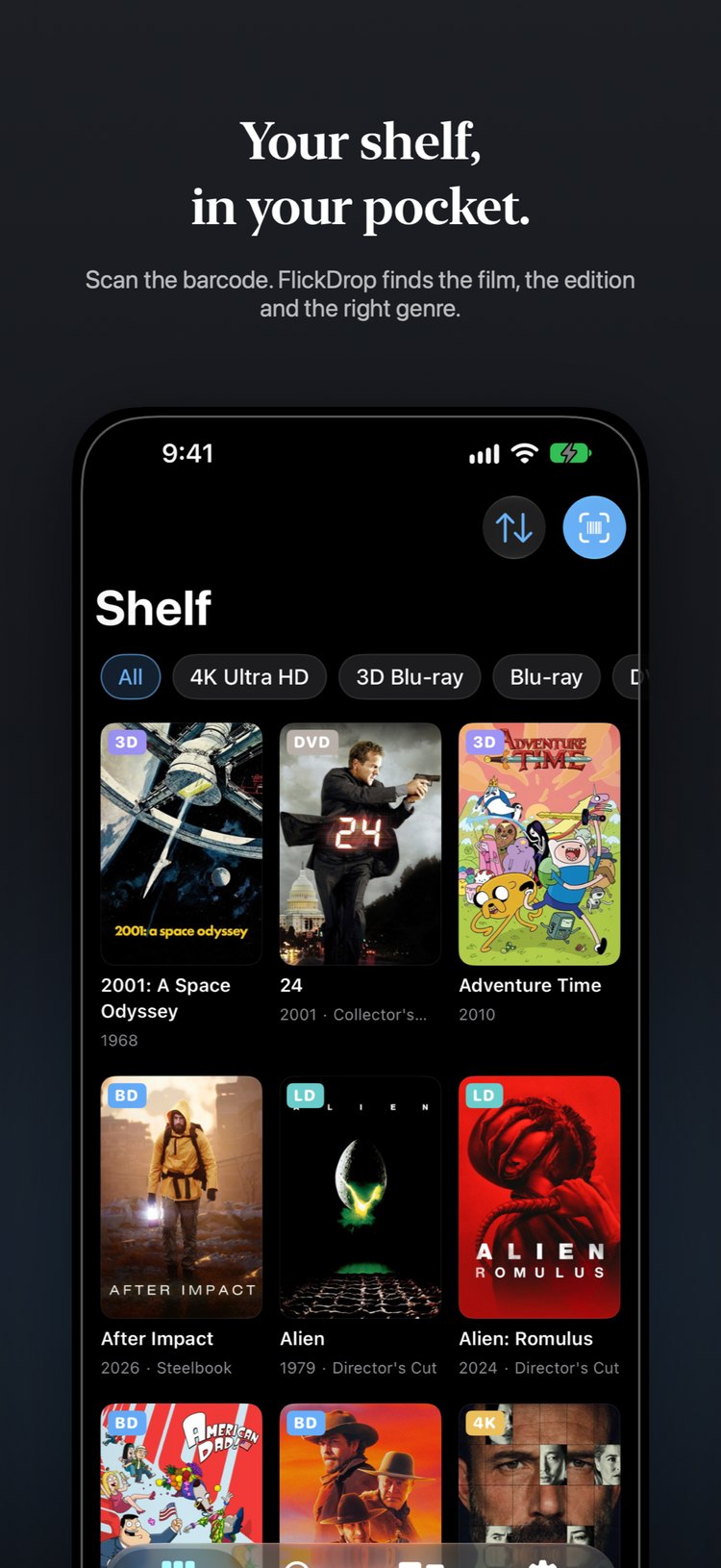
Scan, don't type
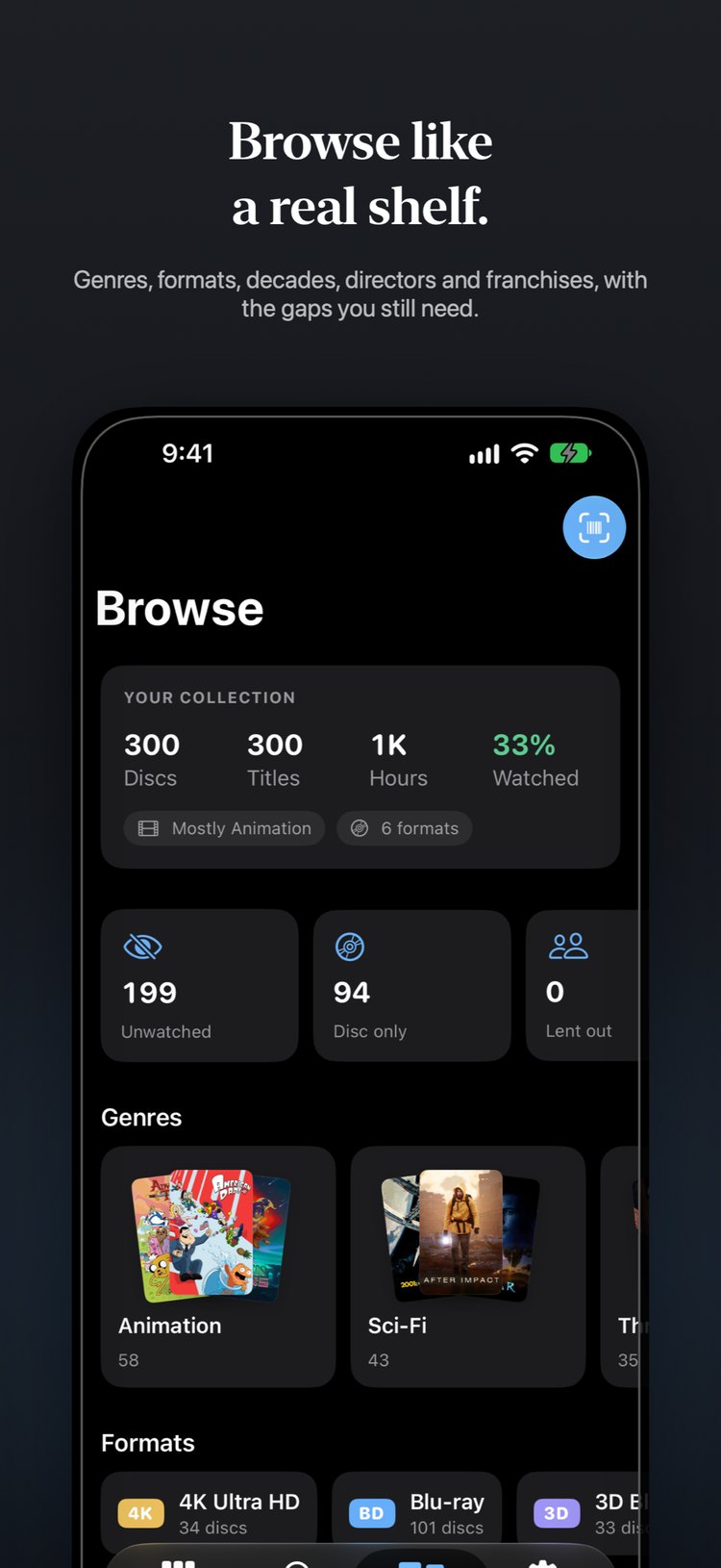
DVD, Blu-ray and 4K UHD, VHS and LaserDisc too. FlickDrop reads every barcode in view and identifies the exact release: the format, a steelbook or box set, and the label. Each disc lands in its genre on its own.
Streaming, elsewhere, or disc only
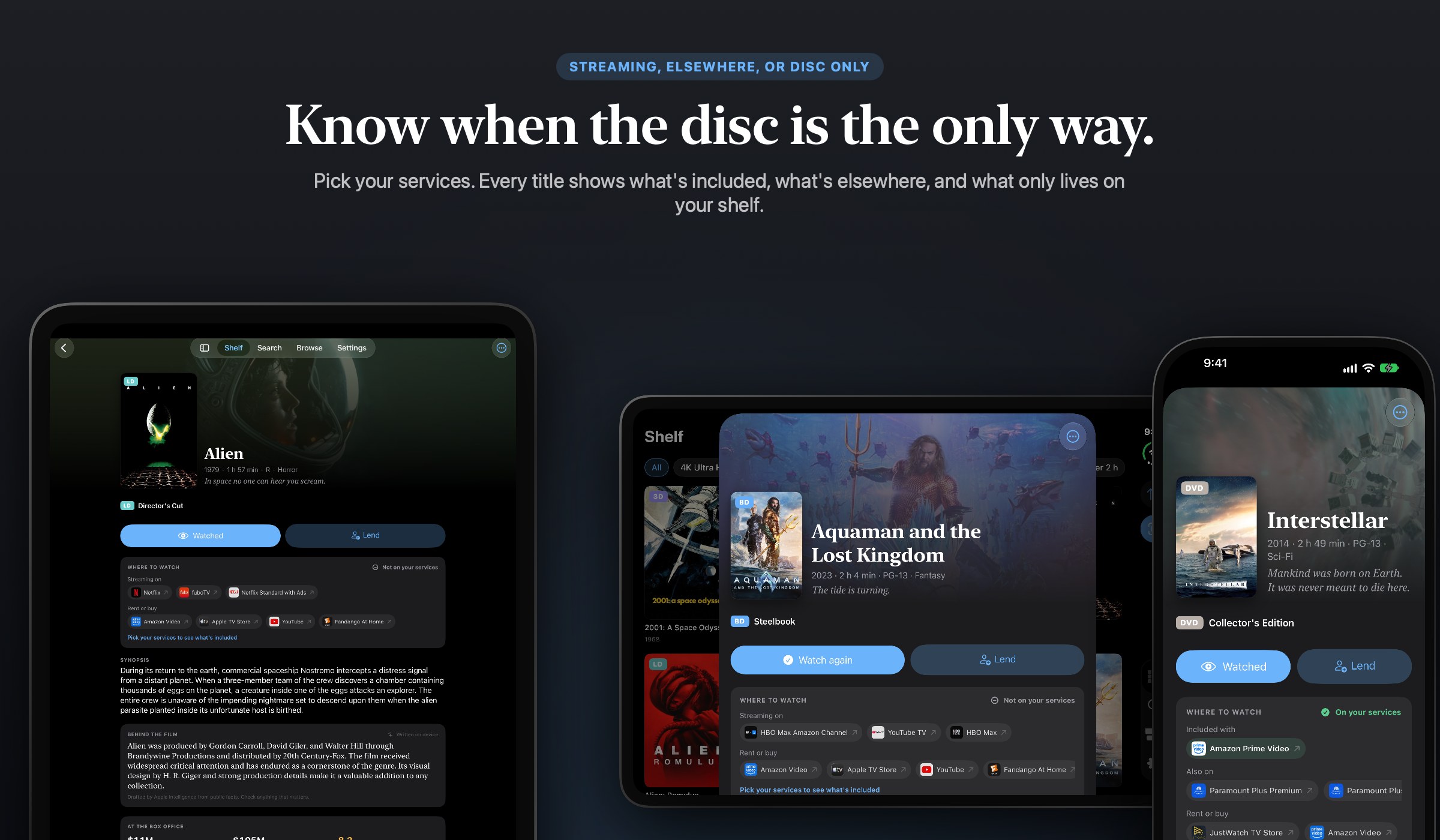
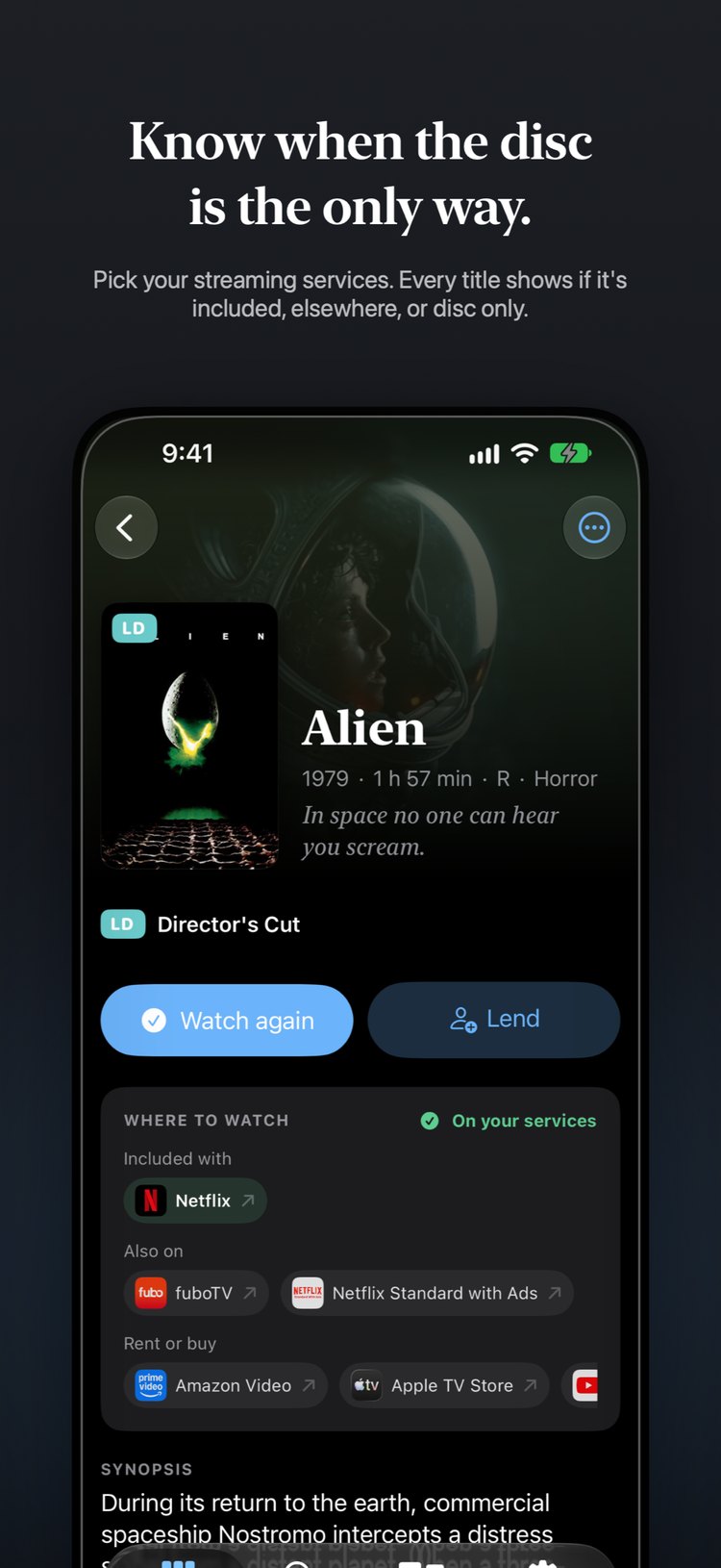
Know when the disc is the only way
Pick the services you subscribe to and every title shows whether it is on one of them, somewhere else, or only on your disc, with a tap to open the service. Box sets hold their films, and each film keeps its own watched state.
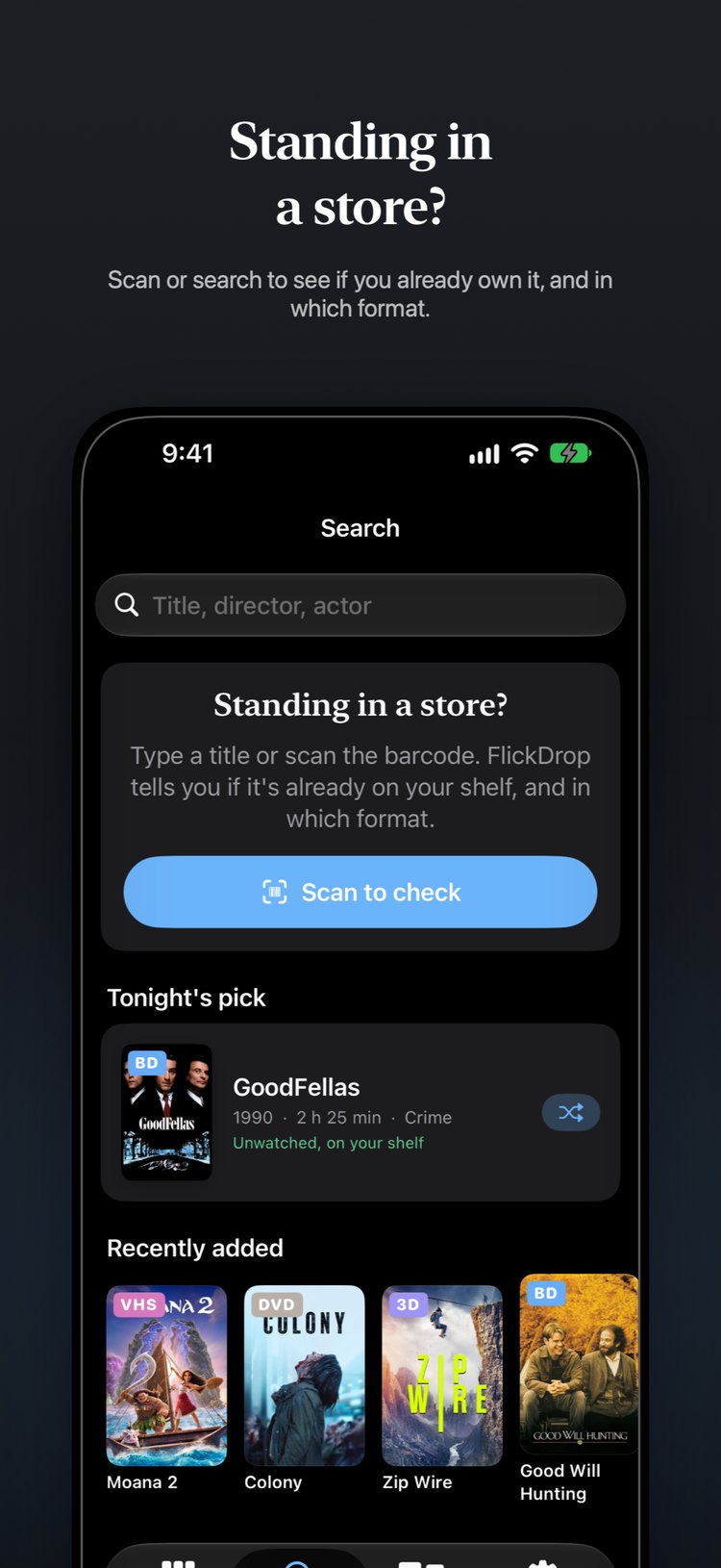
Standing in the store
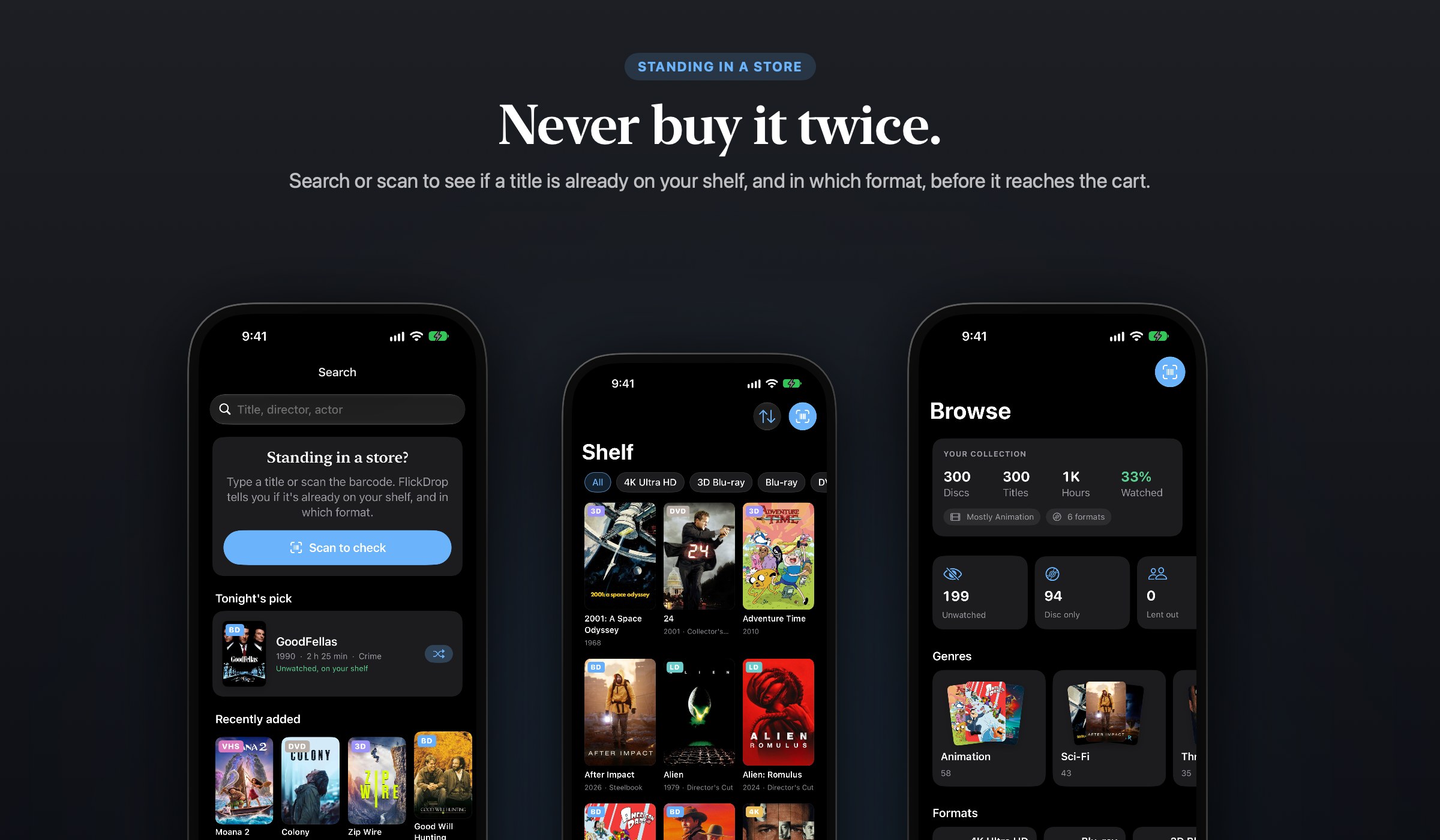
Never buy it twice
Scan the case or search the title and FlickDrop tells you if you already have it, and in which format. A duplicate warning stops the second copy before it reaches the cart, and an upgrade hint tells you when the disc in your hand beats the one at home.
The whole story of a title
A film page worth reading
Synopsis, director and cast, the trailer, budget and box office, and for series the status and seasons. A short Behind the film note is written on your device by Apple Intelligence from public facts, and labeled as AI-written.
Lent, logged, located
Keep track of the physical thing
Lend a disc to a contact with a due date and an optional Reminders nudge. Log every watch with its own date and rating, keep a wishlist, and note which shelf or room each disc lives on.
Without opening the app
Siri, Shortcuts, widgets
Ask "Do I own Heat?", add a disc from Shortcuts, or have Siri pick something unwatched. Widgets show your collection counts and Spotlight finds any title. Import from CLZ Movies, My Movies, Blu-ray.com or Letterboxd, and export CSV free any time.
In motion
See FlickDrop in 30 seconds
Honest by default
No account. No ads. No tracking.
Your catalog lives on your devices and syncs through your own private iCloud, which we can't read. Film details come from TMDB, and barcode lookups go through our server with nothing about you attached.
The full list
What's inside
Everything FlickDrop does, in one place.
- Scan DVD, Blu-ray, 4K UHD, VHS and LaserDisc barcodes, several per frame
- Edition-accurate: format, steelbook, box set and label identified
- Filed by genre automatically
- Box sets hold their films, each with its own watched state
- Synopsis, director and cast, trailer, budget and box office
- Series status and seasons
- Behind the film notes by on-device Apple Intelligence, labeled as AI-written
- On your services, elsewhere, or disc only, per title, with a tap to open the service
- Own-it check in the store, with duplicate warnings
- Lend a disc with a due date and a Reminders nudge
- Watch log with multiple dates and ratings
- Wishlist and shelf or room locations
- Siri and Shortcuts: Do I own, Add a disc, Pick something unwatched
- Widgets and Spotlight
- Import CSV from CLZ Movies, My Movies, Blu-ray.com and Letterboxd
- CSV export, always free
- Community edition database for barcodes that miss
- Syncs through your own iCloud, no account
- Designed for iPhone, iPhone Duo and iPad
- Free for 50 discs, Pro is a one-time $14.99, no subscription, no ads
SwiftUISwiftDataCloudKitVisionFoundation ModelsStoreKit 2App IntentsiPhone Duo
Go further
Unlimited discs with FlickDrop Pro
Free for up to 50 discs. FlickDrop Pro is a one-time $14.99 purchase that unlocks an unlimited collection. No subscription, no ads, no account.















No shady stuff
An app you can trust
FlickDrop is built by one person, not a growth team. No tracking, ever. That goes for all 15 JC Mobile App Studio apps.
FlickDrop is coming
Leave your email and you'll get one message when it ships.