
Libreto, Notes, planners & PDFs for iPad, iPhone Duo & iPhone
A notebook that opens like one.
A pro drawing studio, a full notebook and planner, and a real PDF editor, on iPad and iPhone Duo, with a focused iPhone app for PDFs and notes. Every notebook opens on its own cover. On-device AI included, one fair price, no ads.

iPhone, iPhone Duo, and iPad
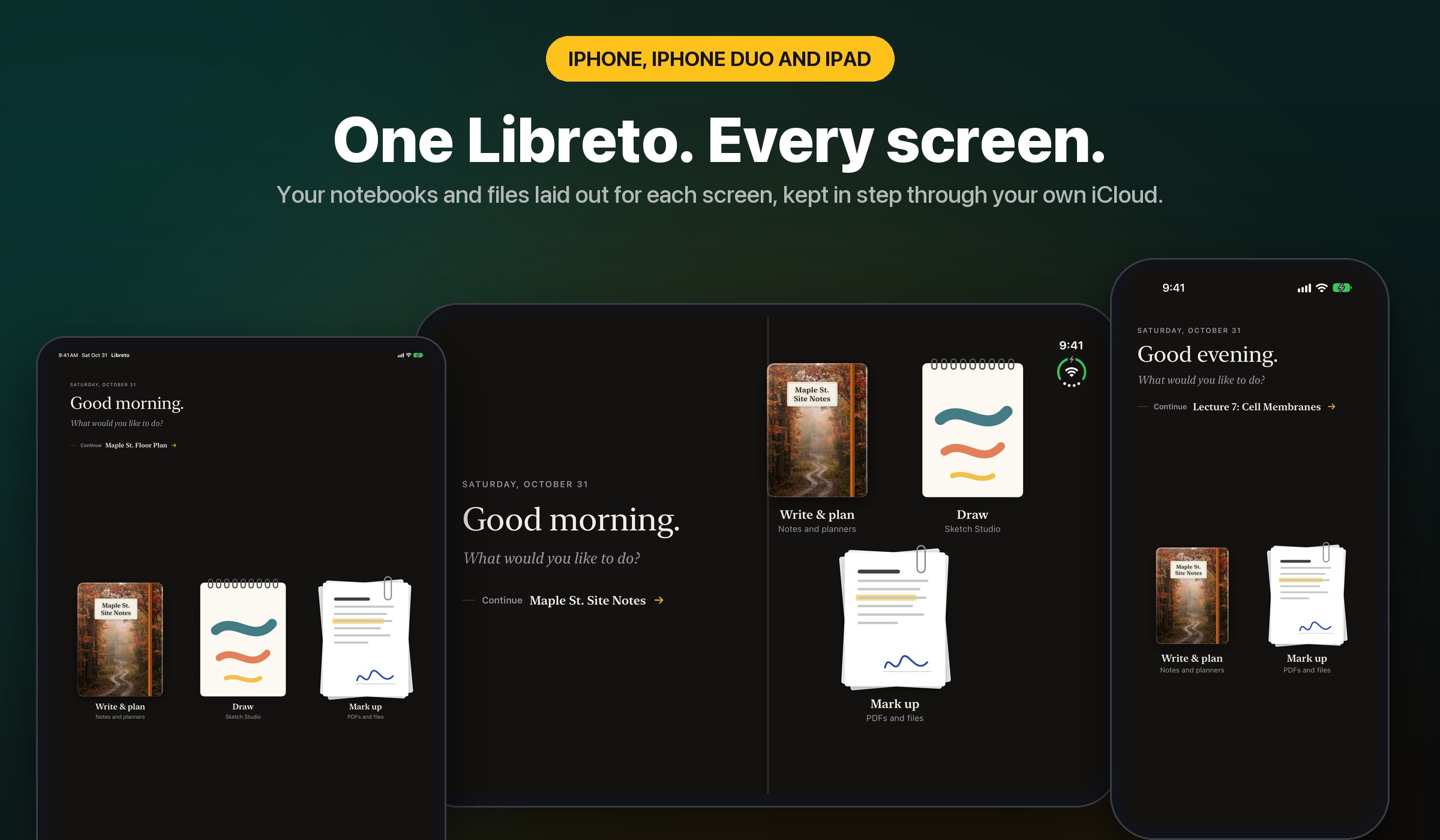
Every screen
Your library laid out for each screen and kept in step through your own iCloud. On iPhone Duo, folders show a list beside a preview, so you pick a file on one side and read it on the other.
Closed covers
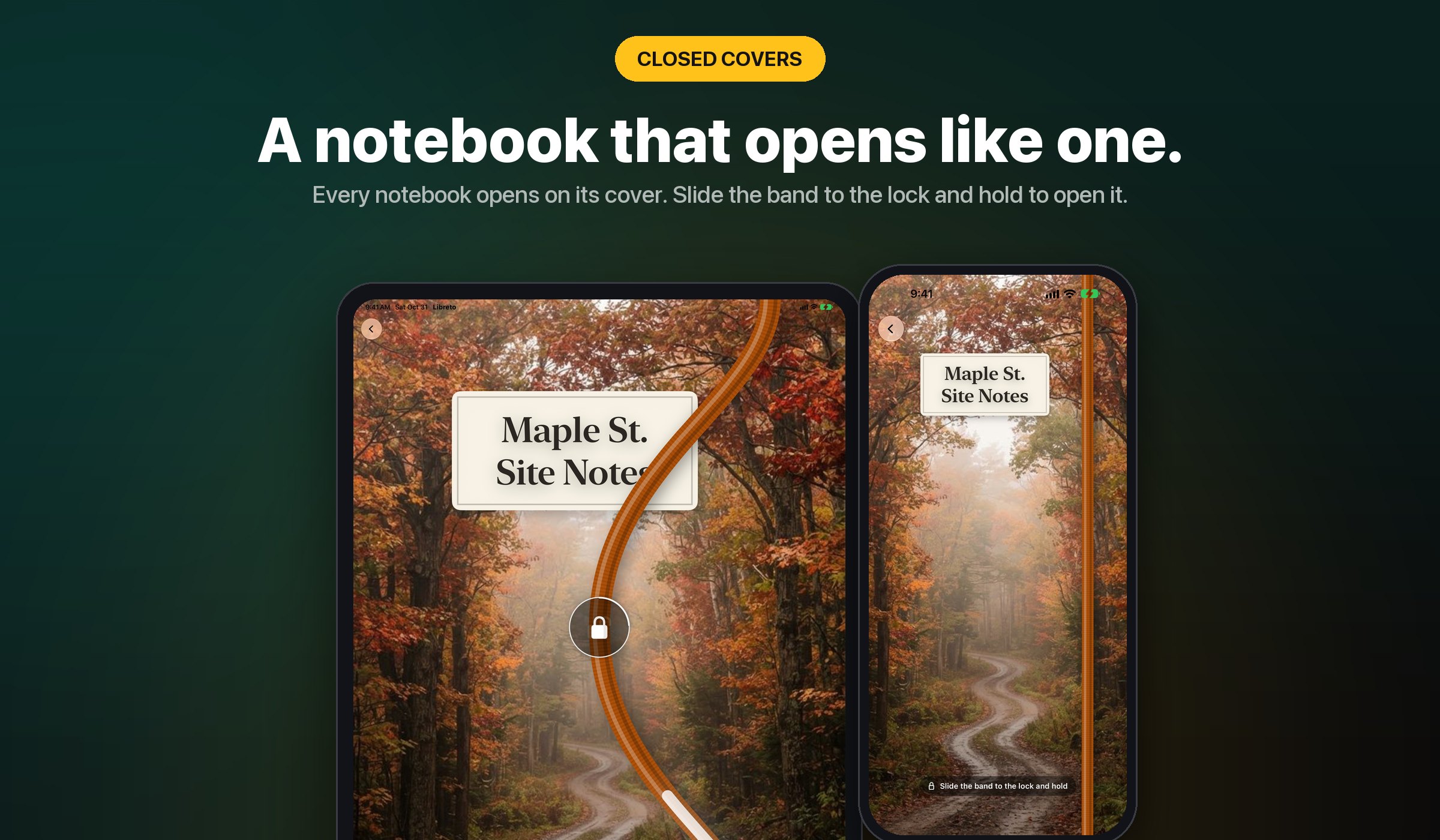
Slide the band, hold, open
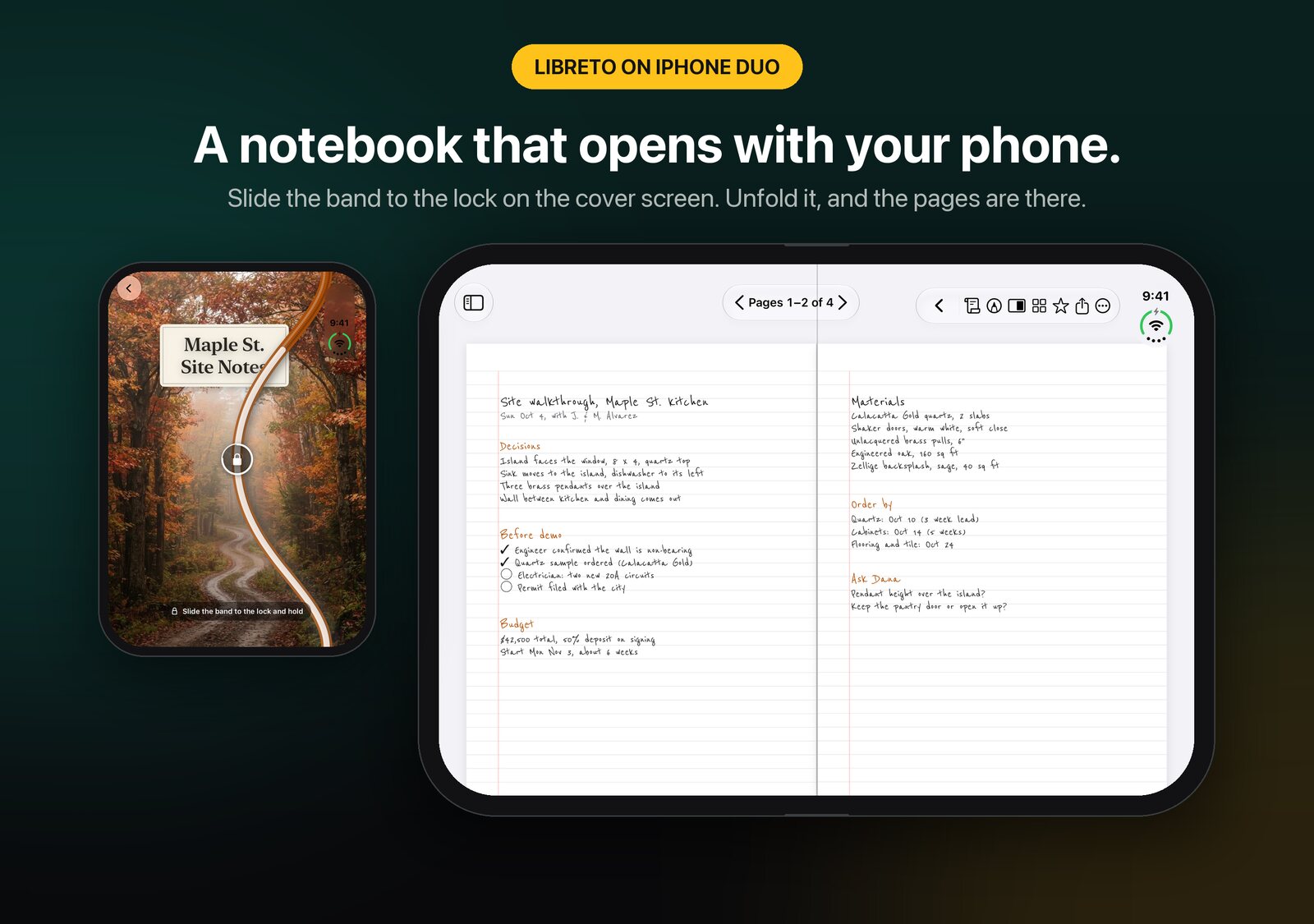
Every notebook opens on its cover, full screen: your own photo, a seasonal design, or one you make. Slide the elastic band to the lock and hold for three seconds, then turn the cover like paper.
Notes that open like a book
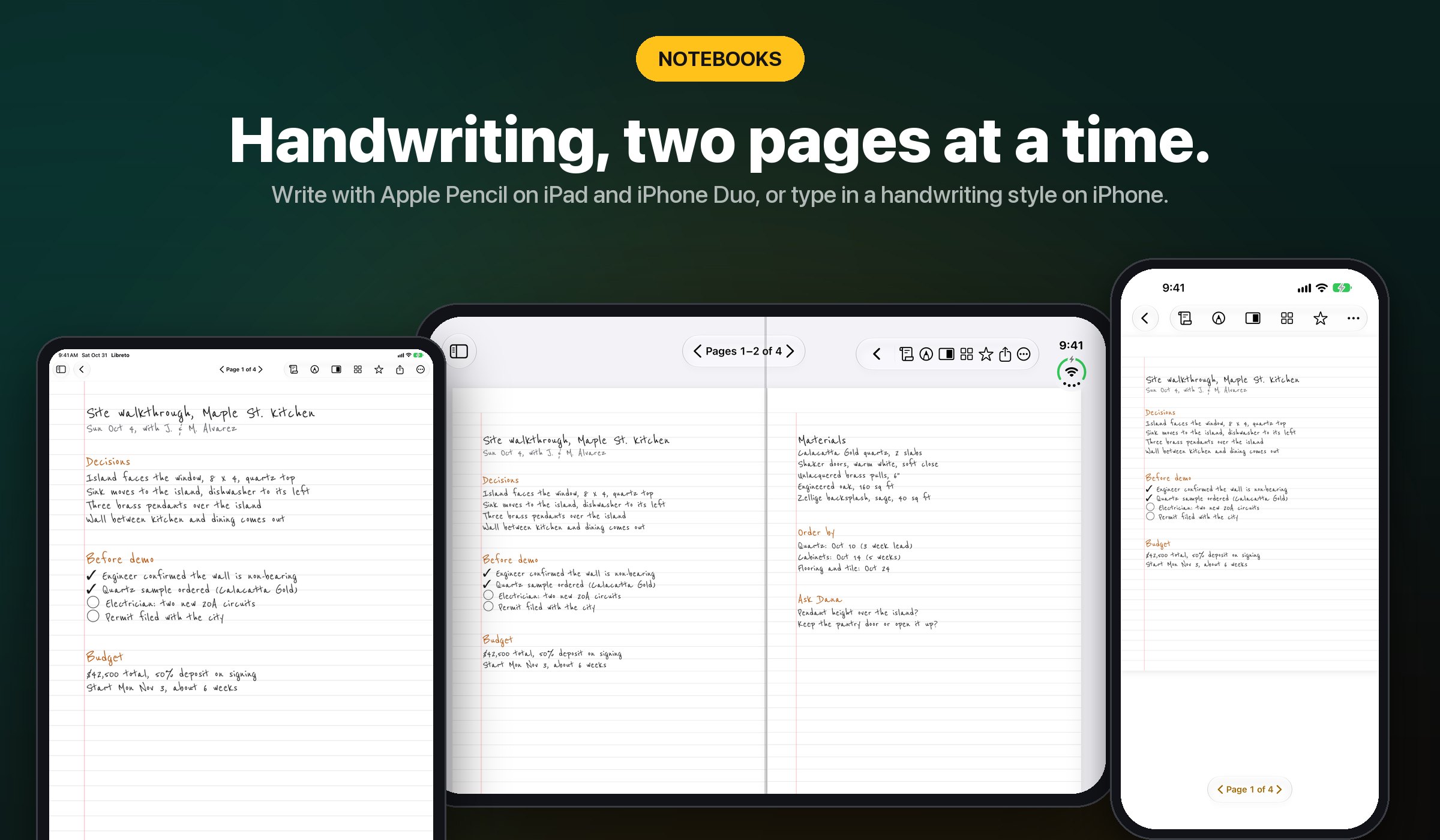
Notebooks
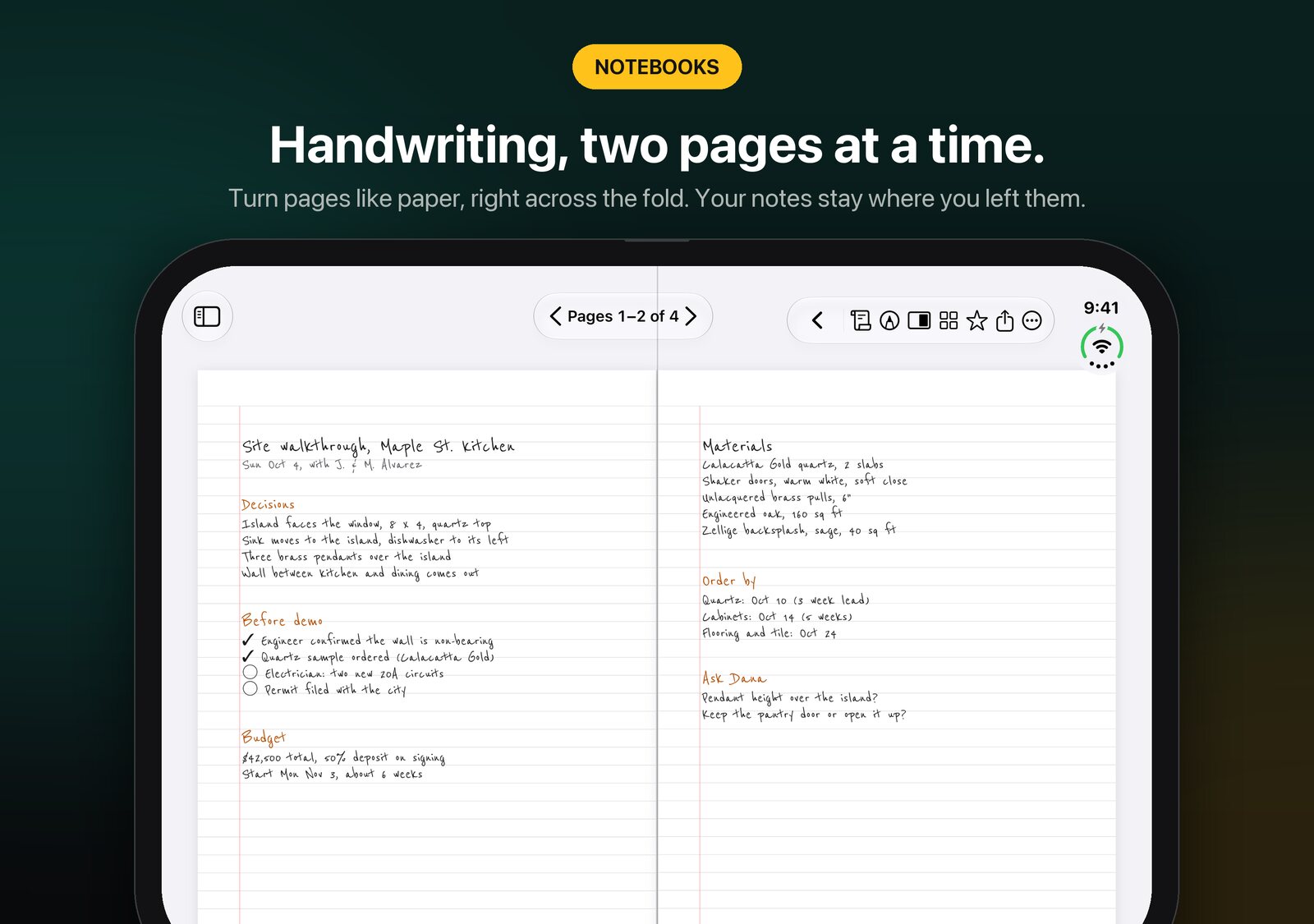
Lined, grid, Cornell, and to-do paper, with Apple Pencil on iPad and iPhone Duo and a finger on any iPhone. Type in a handwriting style that looks like your own notes. On iPhone Duo and iPad in landscape, two pages lie open across the fold, and ink thickens and tapers like a real nib.
iPad and iPhone Duo
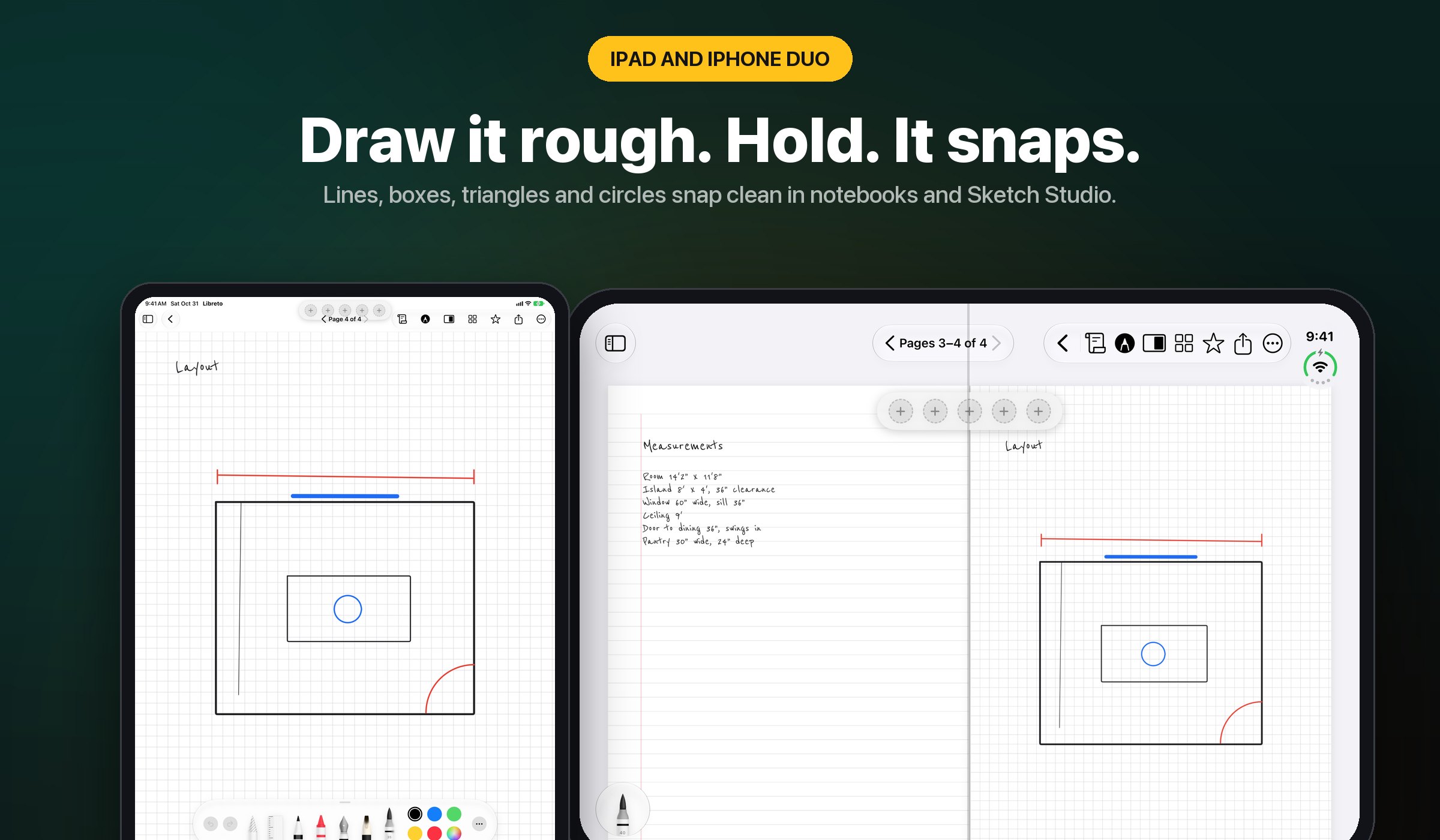
Hold to snap
Draw a rough line, box, triangle, or circle and hold the Pencil still for a moment: it snaps clean. It works in notebooks and in Sketch Studio, and one Undo takes it back.
Your month, mapped out
Planners and journals
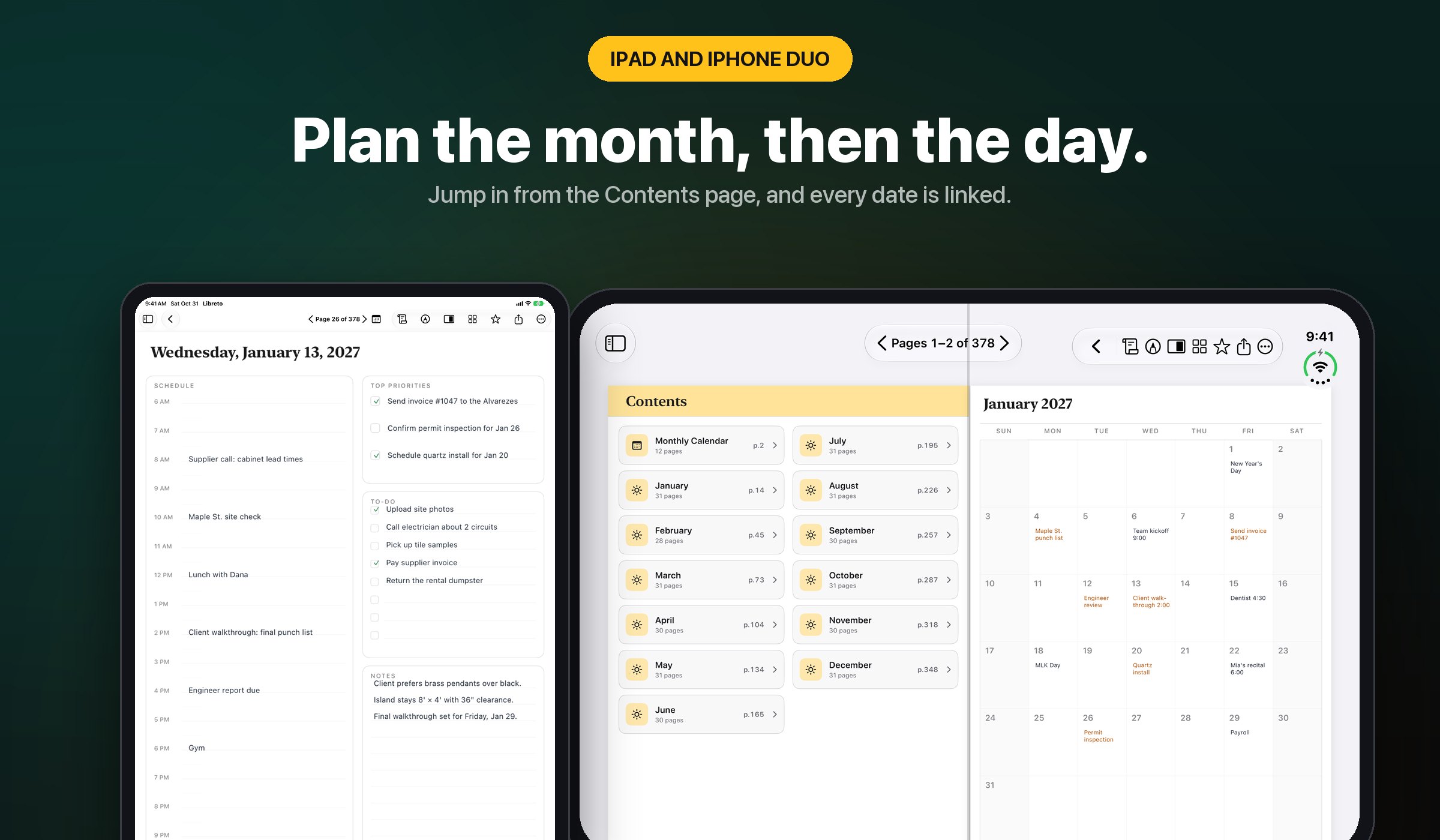
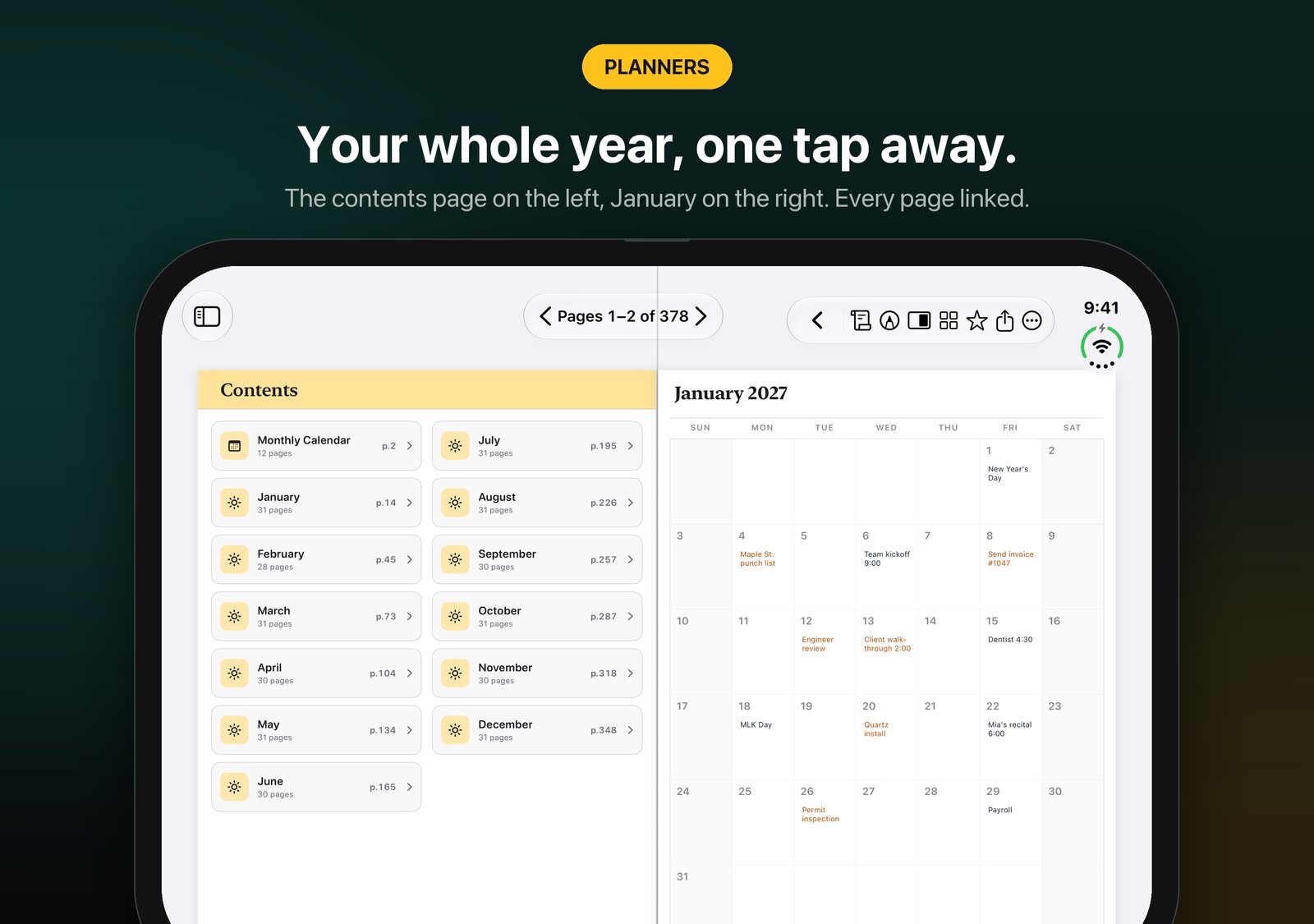
Hyperlinked planners with real dates, on iPad and iPhone Duo. Planners come with a tappable Contents page, a tap on a date opens that day, and every day page links back to its month. On iPhone Duo, a link opens its page on the facing side.
Organized and private
PDFs
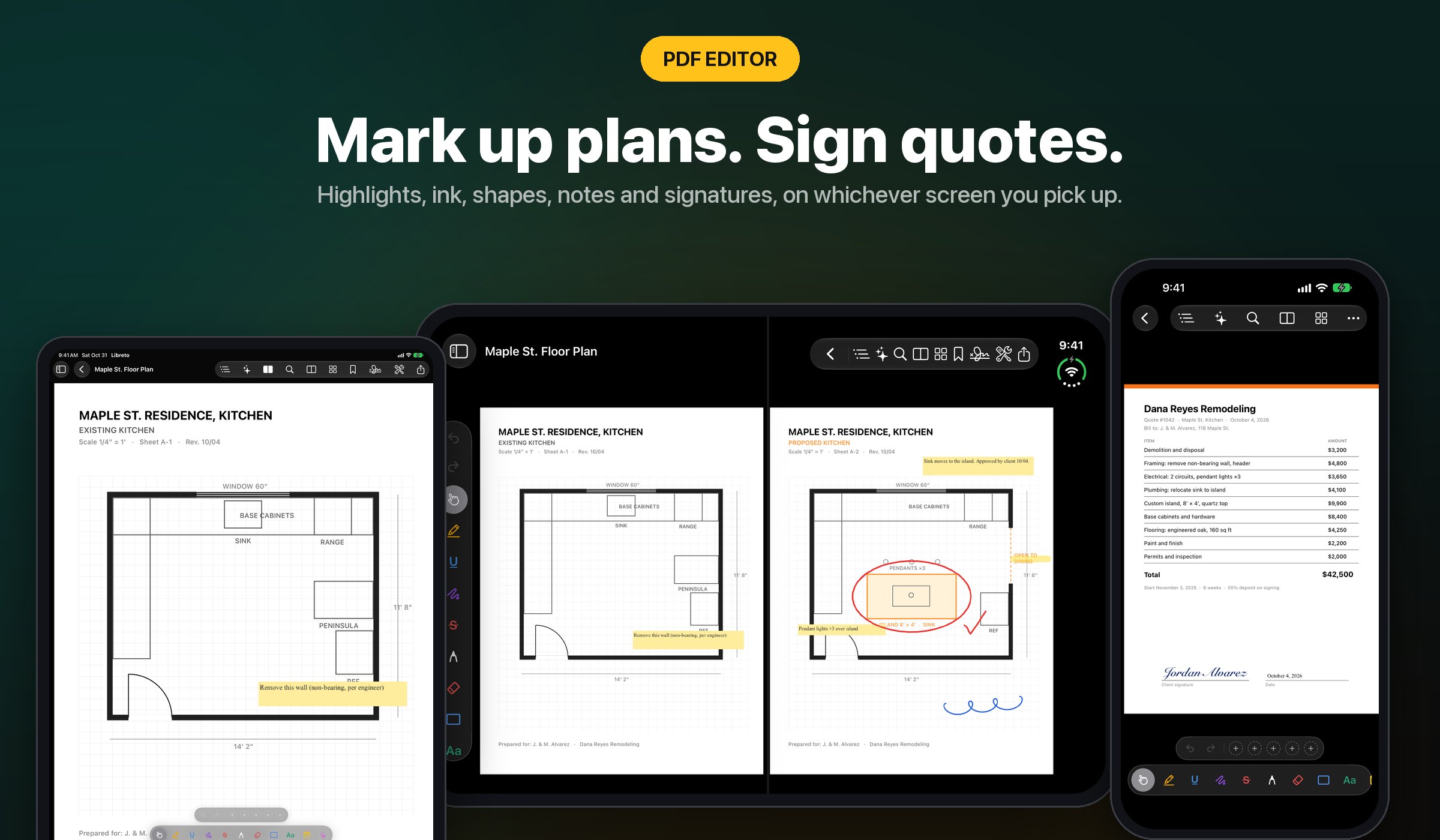
Highlight, ink, sign with saved signatures, fill forms, and manage pages with merge, split, compress, and password tools, on every screen. Redact for real, with the hidden text destroyed rather than covered.
Every file, one library
Libreto Intelligence
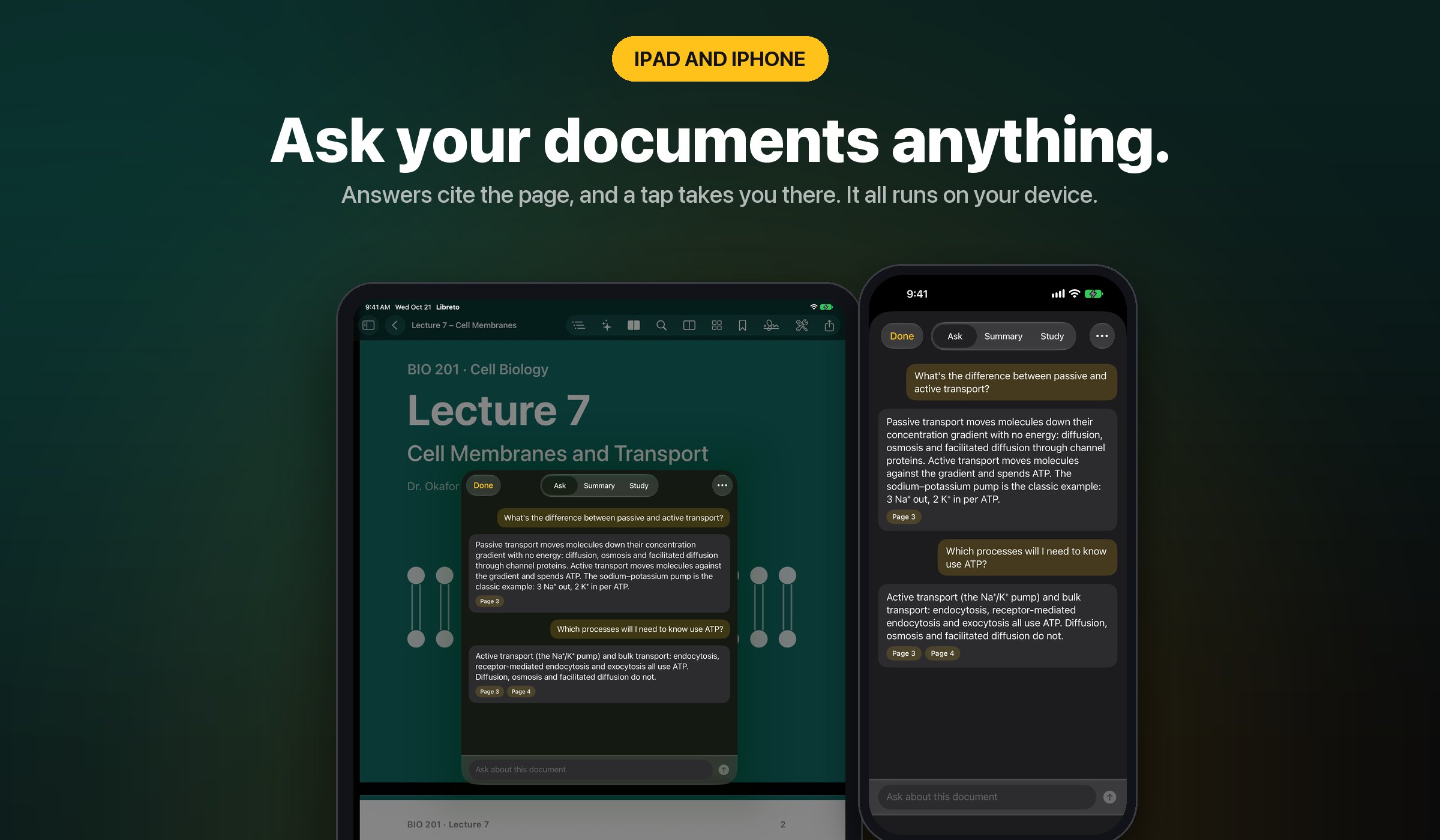
Ask questions about any PDF or notebook and get answers with tappable page citations. Summarize a selection, turn a document into flashcards with spaced repetition, or record a lecture and have it transcribed and summarized on device.
Built for Apple Pencil
Drawing studio
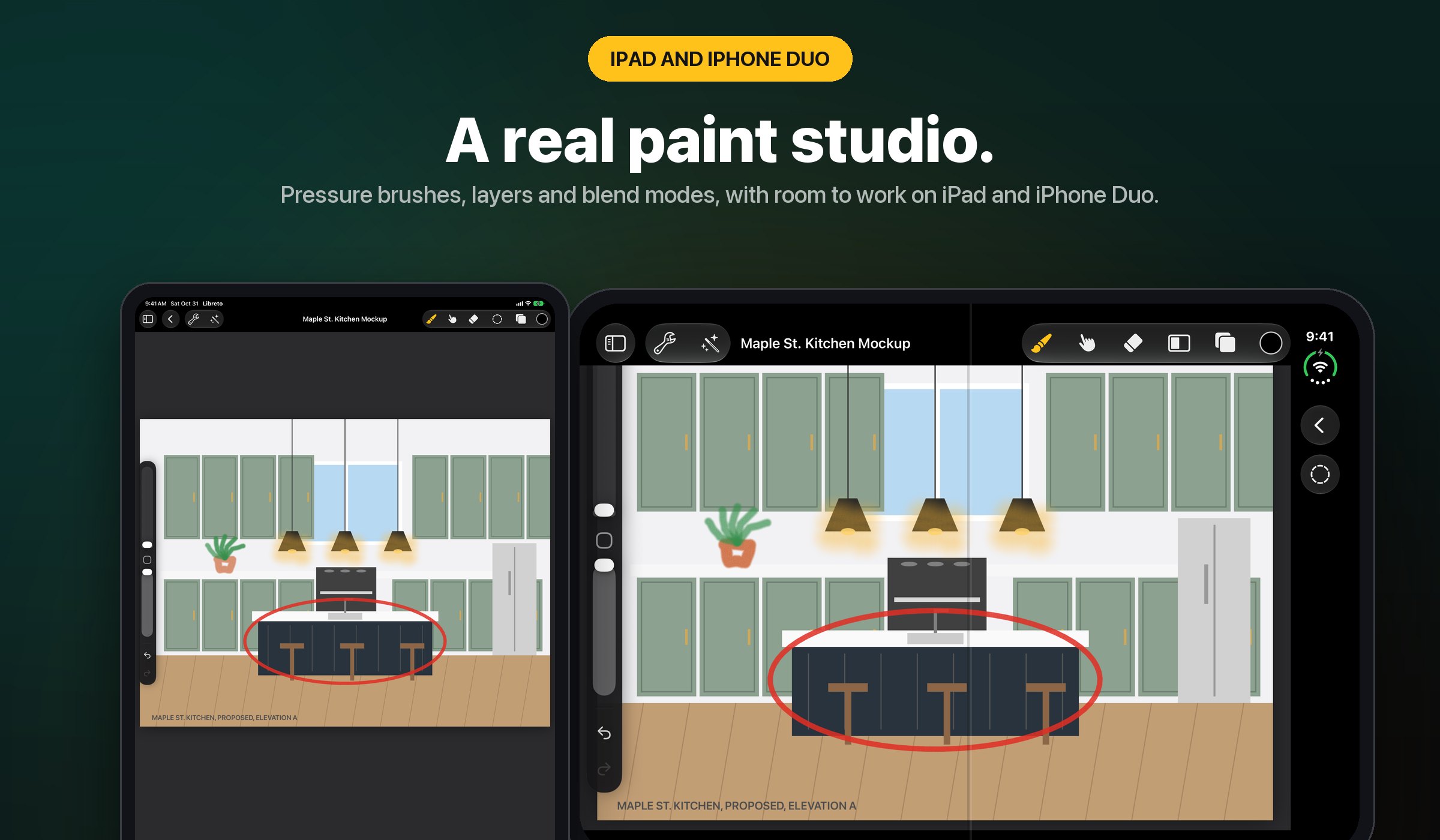
A layered canvas with blend modes and per-layer opacity and 56 brushes across 8 categories, on iPad and iPhone Duo. In landscape, Sketch Studio docks your reference image, layers, and colors beside the canvas.
iPhone Duo
Unfold it
Folded, the cover screen shows the notebook you were writing in, band and all. Unfold it and the notebook opens right where you left off: two pages across the fold held sideways, one page held upright, with every control in one row at the top either way.
In motion
See Libreto in 30 seconds
Honest by default
No ads. No tracking. No third-party AI.
Libreto Intelligence runs on your iPhone, iPhone Duo, and iPad. Nothing leaves your devices, and a single switch in Settings hides every AI button if you'd rather have none.
The full list
What's inside
Everything Libreto does, in one place.
- Closed covers: every notebook opens on its cover; slide the band to the lock and hold to open it
- Hold to snap: rough lines, boxes, triangles, and circles snap clean in notebooks and Sketch Studio
- Handwriting-style text for typed notes
- iPhone Duo: the cover screen shows your notebook; unfold and it opens where you left off
- iPhone Duo: notebooks, planners, and PDFs open as two pages across the fold when held sideways, with every control in one row at the top
- Planners come with a tappable Contents page; day pages link back to their month
- iPhone Duo: folders as a list beside a preview; planner links open on the facing page
- iPad and iPhone Duo: Sketch Studio docks reference, layers, and colors beside the canvas
- iPad: layered canvas, blend modes, per-layer opacity
- iPad: 56 brushes across 8 categories: sketching, inking, painting, airbrushing, textures
- iPad: smudge, eraser, selection, transform, and reference-image tracing
- iPad: canvas adjustments: blur, noise, sharpen, bloom, halftone, chromatic aberration
- iPad: whiteboard for quick, freeform brainstorming
- iPad: hyperlinked notebooks and planners with templates, stickers, and custom covers
- iPhone: focused PDF editor and note taker, synced with iPad and iPhone Duo
- iPad and iPhone: PDF editor, highlight, underline, ink, shapes, sticky notes, text boxes
- iPad and iPhone: sign documents with saved signatures and fill PDF forms
- iPad and iPhone: Read Aloud for any PDF or text note, with speed control
- iPad and iPhone: Help & Tutorials with Try it buttons, retake the tour any time
- iPad and iPhone: page tools, rotate, crop, merge, split, extract, compress, watermark, password
- iPad and iPhone: document scanner plus on-device handwriting search and convert-to-text in 20+ languages, on PDF ink too
- iPad and iPhone: Open in Libreto from Files, Mail, and Safari; drag and drop on iPad
- Quick Note from the + menu, Home Screen icon, Siri, Shortcuts, or ⌘N
- Documents in Spotlight; hardware keyboard shortcuts with a hold-⌘ overlay
- iPad and iPhone: undo and redo for every PDF annotation
- Study Kit: import flashcards from Anki, CSV, or text
- Apple Pencil on iPad and iPhone Duo: pressure, double-tap, squeeze, and Pencil Pro haptic clicks
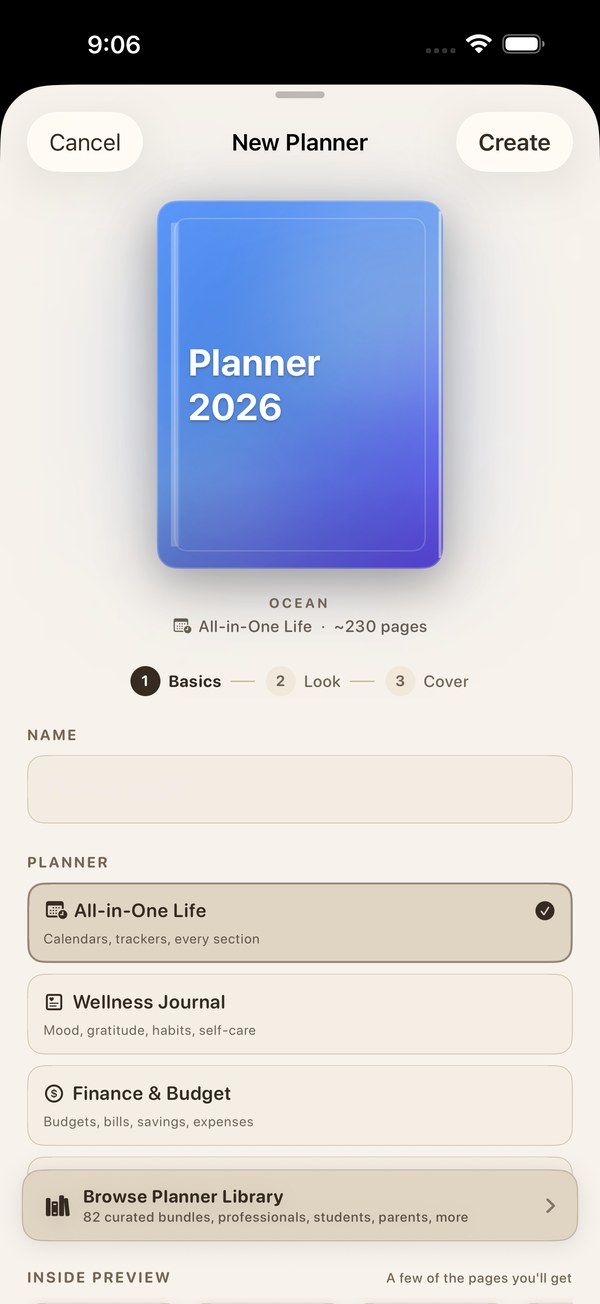
- Folders, tags, favorites, search, Face ID app lock, iCloud sync across iPhone, iPhone Duo, and iPad
- Libreto Intelligence on device: PDF Q&A with page citations, summaries, flashcards
- On-device lecture recording, transcription, and summary
- Real redaction: find-and-redact, hidden text destroyed not covered
- Export PDFs as PDF, image, text, or Word (RTF); text notes as Markdown
- $19.99/yr (3-day trial), $2.99/mo, or $59.99 once, every feature
SwiftUIPencilKitPDFKitApp IntentsCore SpotlightiPadOS
Go further
One app. One fair price.
Libreto Premium is $19.99 a year with a 3-day free trial, or $2.99 a month, or $59.99 once.
Get Libreto










No shady stuff
An app you can trust
Libreto is built by one person, not a growth team. No tracking, ever. That goes for all 15 JC Mobile App Studio apps.
Get Libreto
Free to download on the App Store. iPhone, iPhone Duo, iPad.
