It was three days, not one event
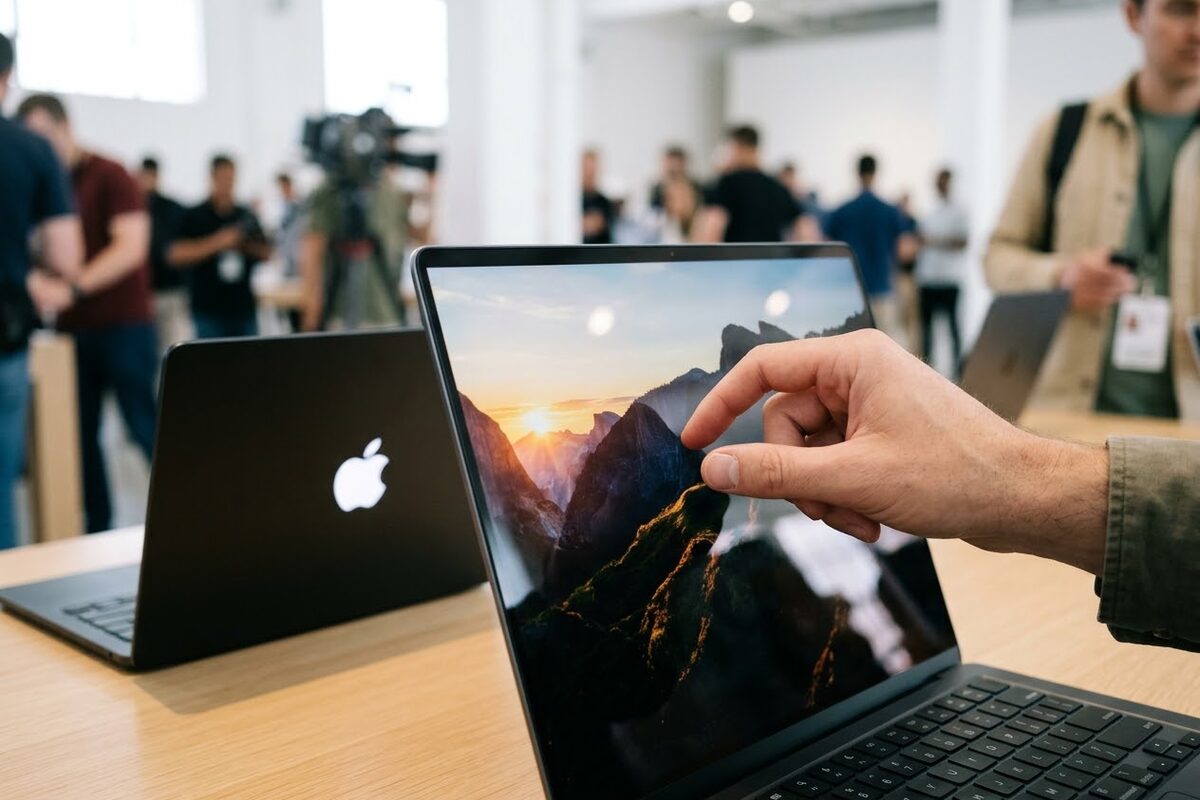
The first thing to get straight, because most of the summaries I've seen collapse it: this wasn't one announcement. Apple spread Pro and Tell over three days of press releases. Monday was the new iPad mini. Tuesday was the M6 iMac and a 14-inch MacBook Pro with M6. Wednesday was the touchscreen MacBook Pro, with a short hands-on session in Los Angeles for press and creators. No keynote, no livestream, exactly as reported last week. Engadget timed the presentation at about six minutes after the reveal. (Engadget)
Pre-orders for all five products opened Wednesday at 10:10 a.m. Pacific, and everything ships Friday, November 6. (MacRumors)
The touchscreen MacBook Pro
Apple's name for it is the MacBook Pro with PROLED XDR Display. It comes in 14 and 16 inches, with a tandem OLED panel, two light-emitting layers stacked, rated at 2,000 nits for both HDR and regular content, a 10,000,000 to 1 contrast ratio and ProMotion from 10 to 120 Hz. The touch sensor is built into the panel rather than layered on top, which Apple says is why there's no added latency. The notch is gone, replaced by a smaller Dynamic Island that hosts Spotlight, Live Activities and Siri. There's a new hinge so the screen doesn't wobble when you poke it, the 14-inch weighs 3 pounds and the 16-inch 4 pounds, each about half a pound lighter than before, and Apple claims up to 24 hours of battery. (Apple)
The glowing Apple logo is back on the lid. Apple didn't put that in the press release, but every hands-on mentions it, and John Ternus's tweet was "We're glowing with excitement." (MacRumors)
Now the part the briefing I was handed got wrong, and that I flagged as a possibility last week. This laptop does not have an M6. It ships with the same M5 Pro and M5 Max chips as the March models. Bloomberg had that right. There is no M6 Pro or M6 Max this year, and Bloomberg's reporting is that Apple skips them until the M7 generation in 2027. So the most expensive Mac laptop Apple sells is on last spring's silicon with a new screen, a new chassis and touch. That's a defensible product. It's just not the one the headlines describe.
Prices, from Apple:
- 14-inch, M5 Pro, 24 GB, 1 TB: $2,899. 16-inch: $3,399.
- 14-inch, M5 Max, 36 GB, 2 TB: $4,499. 16-inch: $4,799.
- Up to 128 GB of memory and 16 TB of storage. A fully loaded 16-inch with the nano-texture glass is $14,549, per Engadget's configurator run. (Engadget)
- Roughly a $400 premium over the mini-LED MacBook Pros, which stay on sale. Apple's lease option starts at $55.99 a month.
One more thing that isn't there: Apple Pencil. I've seen it in several summaries, including the one I was sent. Apple's release never mentions a stylus and Engadget confirmed it's not on the spec sheet. You touch this screen with your fingers. The nano-texture anti-glare finish is real, but it's an option, not standard.
What touch actually does on a Mac
Apple's framing is careful. macOS translates touches into clicks, so every existing app works on day one without an update. On top of that you get swipe to scroll, pinch to zoom, rotate, drag and drop between apps, a double tap on a window to fill the screen, and a flick to tile a window. Forbes' hands-on noticed small buttons enlarge when they sense a finger coming. It is not an iPad with a keyboard. It's a Mac where the screen is one more place you can point.
I'll admit Macworld got me with one line. In 2010, Steve Jobs said touch surfaces "want to be horizontal" and that a vertical touchscreen is tiring and nobody wants it. Having used a Surface for a few years at an old job, he was about two-thirds right. You don't do everything on the screen. You scroll a long page, you pinch a photo, you drag a file over, and you go back to the trackpad. The point isn't that the trackpad loses. It's that the screen stops saying no.
What Apple told developers, which is the part I care about
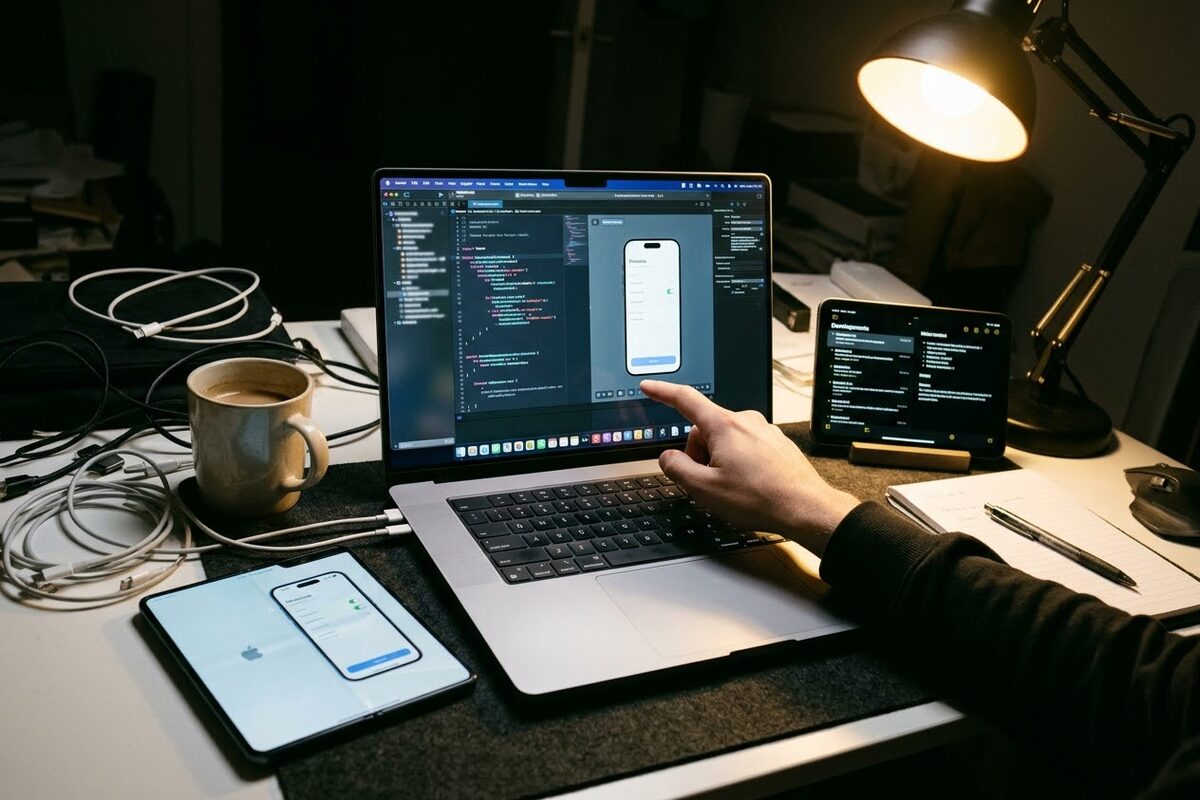
Last week I wrote that if the touch Mac was real, I expected "a session's worth of new guidance for developers." It was three sessions. Apple Developer posted "Say hello to Touch on Mac" on Wednesday with Tech Talks on designing for touch, bringing touch to an existing Mac app, and bringing Live Activities to the Mac, plus group labs on November 18 and 19. Xcode 27.3 beta, the documentation and the design resources are listed as "coming soon." (Apple Developer)
Here's the plain version for anyone who doesn't write code. The system does the basics for free. But for an app to feel right under a finger, the developer has to do some work: tell macOS which gestures the app handles itself so the system's swipes don't fight it, make sure controls hit a 36-point minimum target, and declare the app as touch-native so the system stops enlarging things on its behalf. That's a week of work on a small app and a quarter on a big one, which is why Apple's list of apps with touch-optimized versions "later this year," Word, Excel, Notion, Canva, Zoom, Lightroom, DaVinci Resolve, Blender, says later and not now.
For me it's the third screen in a month. I'm re-checking my layouts for the iPhone Duo's inner screen, which arrives in a week. I'll check the iPad mini's new size. And now every Mac version gets a pass for finger-sized targets. I'm not complaining. A Mac that behaves more like an iPad means more of my iPad work carries over. But November is spoken for.
The other four products
14-inch MacBook Pro with M6, $1,999. Announced Tuesday. This is where the M6, Apple's first 2-nanometer chip, lands in a laptop: 12-core CPU, 12-core GPU, a dual 16-core Neural Engine, 16 GB of memory and 1 TB to start. Apple's numbers are up to 1.2 times the multithreaded speed of the M5, up to 30 percent faster graphics, and up to 24 hours of battery, which it calls the longest ever in a Mac. Same mini-LED screen, same chassis, still a notch, no touch. Macworld called it "a very minor update," and from a hardware standpoint that's fair. From a value standpoint it's the most Mac per dollar on the list. (Apple)
24-inch iMac with M6, from $1,499. Also Tuesday. Same price as before, same seven colors, the chip is the news. $1,699 gets the 12-core version with four Thunderbolt 4 ports and Ethernet. (Apple)
iPad mini, $699. Monday. Apple just calls it "the all-new iPad mini," and it's the biggest change the small tablet has had: an 8.5-inch OLED screen in the same footprint as the old 8.3-inch, bezels 24 percent thinner, speakers that play through the display, the A20 Pro, Apple's C2 modem on the cellular model, IP67, and the front camera moved to the landscape edge. It also costs $150 more than the model it replaces. $849 with cellular. No Face ID. (Apple)
And earlier in the week, for the "Pro" part: Final Cut Pro with MotionVFX built in, an OpenAI-powered assistant in Logic Pro in beta, and a $12.99 a month Apple Creator Studio bundle.
What I was sent, and what was wrong with it
- "The redesigned MacBook Pro pairs 2nm M6 silicon with a tandem PROLED XDR touch display." The touch model is M5 Pro and M5 Max. The M6 is in the $1,999 MacBook Pro and the iMac.
- "Apple Pencil precision markup." Not announced, not on the spec sheet.
- "30 percent leap in multi-threaded CPU performance." Apple says 1.2 times. The 30 percent figure is the GPU.
- "iPad mini 8 with an edge-to-edge OLED screen and under-display speakers." Apple doesn't use the 8, the edge-to-edge or the under-display. The bezels are 24 percent thinner, and the speakers play through the display.
- "Apple took the stage to unveil" all of it on Wednesday. Three days of press releases, and the only stage was a six-minute hands-on.
What I'd buy
- If you edit video or color for a living: the 16-inch PROLED model is the one Apple built this week for. Buy the M5 Max, not the Pro, and don't pay $7,000 for 16 TB when a Thunderbolt 5 SSD costs a tenth of that.
- If you want a great Mac laptop: the $1,999 M6 MacBook Pro. Newest chip, longest battery, and $900 less than the cheapest touch model. The screen you're giving up is still one of the best on any laptop.
- If you're curious about touch: wait. First-generation Apple hardware plus third-party apps that won't be ready until "later this year" is the same advice I gave for the Duo. The M7 generation comes to this design next year, and the apps will have caught up by then.
- iPad mini: if your old one works, $699 is a lot for the same size. If you've been waiting for OLED on the small iPad, this is finally it.
I ordered none of it. My money this fall already went to a folding phone that isn't here yet. But I did sign up for the November 18 lab, because the touch-target question is going to be the first thing anyone asks me about my Mac apps, and I'd like to have an answer before they do.
Verified October 28, 2026. Product details, prices and dates from Apple's newsroom releases for the MacBook Pro with PROLED XDR Display, the 14-inch MacBook Pro with M6, the iMac with M6 and the iPad mini. Event format and chip details from MacRumors and Engadget. The "no M6 Pro or Max until 2027" line is Bloomberg's reporting, not an Apple statement. Developer details from Apple's Touch on Mac page.
Comments
Be kind and stay on topic.
No comments yet. Be the first.