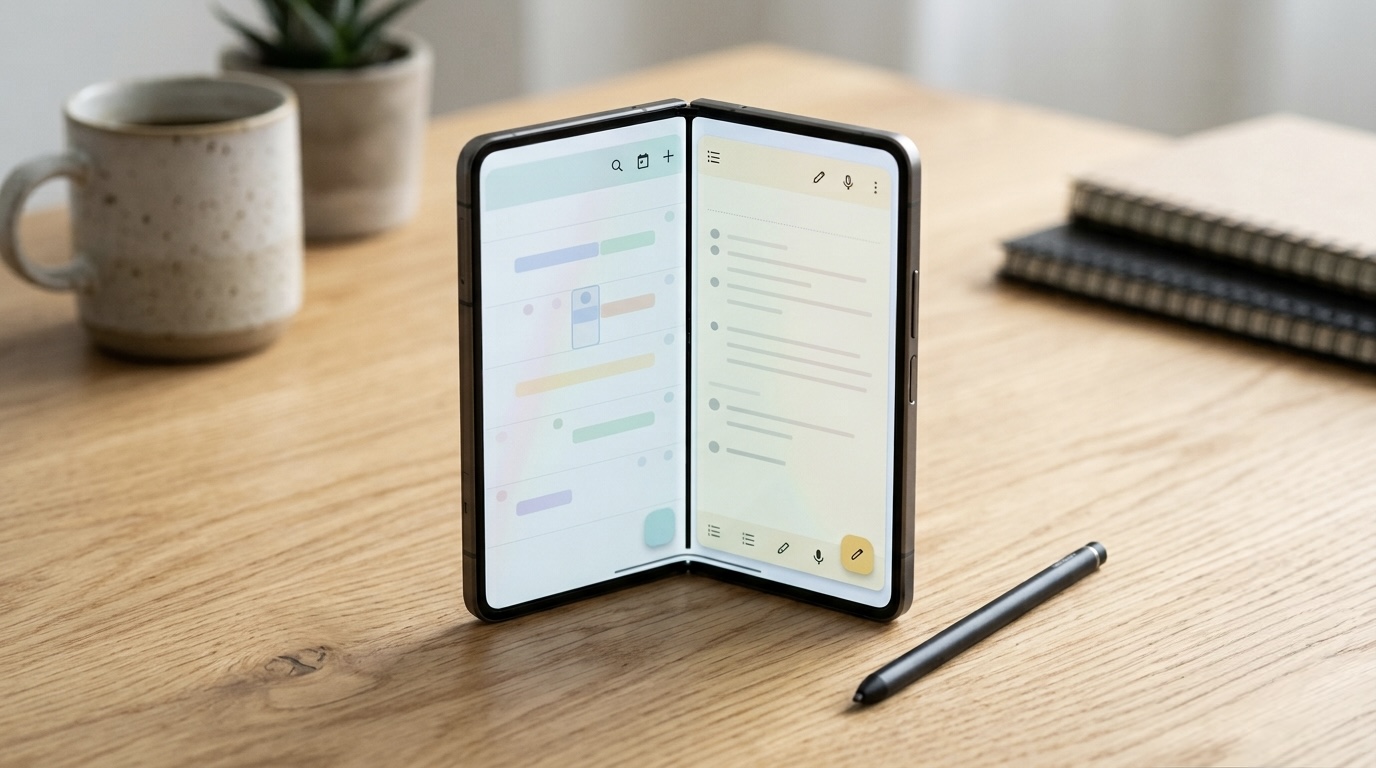
The iPhone Duo opens for pre-orders on October 16 and ships October 23. For most people that is a "should I buy one" question. For app developers, it is a "does my app look right when you open it" question, and the clock is running.
The quick specs
- Book style foldable with a 5.4 inch outer display and a 7.6 inch inner display
- Apple calls it the thinnest iPhone ever made when fully open
- IP68 dust and water resistance
- Works with the $79 USB-C Apple Pencil
- Ships on iOS 27.1, which is exclusive to the Duo for now (MacRumors)
What I am doing right now
I have been running my apps in the iPhone Duo simulator in Xcode 27.1 and rearranging layouts for the unfolded screen. I also test my Android ports on a Galaxy Z Fold8, so I have spent time with how apps behave on a phone that becomes a tablet.
Here is what I am keeping in mind as I go.
1. The unfolded screen is not a stretched phone. The easiest mistake is taking a one column phone layout and making it wider. Text lines get too long, buttons float in empty space, and everything feels off. At 7.6 inches, a lot of screens make more sense as two columns, a list on the left and details on the right. SwiftUI already has tools for this from iPad, so a lot of that work carries over.
2. Folding and unfolding has to be seamless. If someone is halfway through a journal entry on the outer screen and opens the phone, the entry and the cursor need to be exactly where they left them. Losing someone's place is the fastest way to make an app feel broken.

3. The outer screen still matters. At 5.4 inches, the cover display is on the small side for a modern iPhone. Quick actions, like checking the weather or marking a chore done, need to work comfortably there without opening the phone at all.
4. Pencil support changes what a phone app can be. A folding iPhone that works with Apple Pencil is a different kind of device for drawing, note taking, and marking up PDFs.
Why iPad apps have a head start
Developers who already built good iPad layouts are in the best position here, because the same ideas apply: adaptive layouts, sidebars, and content that reflows instead of scaling up. If an app ignored iPad for years, the Duo is going to show it quickly.
What I do not know yet
The simulator can only tell you so much. It cannot show how the crease feels under your thumb, how people actually hold the phone half open, or whether they will live on the inner screen or mostly stick to the outside. Those answers come after launch, from real people using it.
That is the fun part of building apps as one person. There is no design team or device lab here, just nights, weekends, and a simulator. But being small also means I can adjust fast once real feedback comes in.
If you are planning to pick up an iPhone Duo, tell me which of my apps you would want to use unfolded first. I am @JCMAppStudio on X and @jcmappstudio on Threads.
Verified September 28, 2026. Specs are from Apple's September 9 event. The studio's app lineup is at jcmobileappstudio.com/apps.
Sources: MacRumors, September event recap, 9to5Mac, iOS 27.1 and iPhone Duo
Comments
Be kind and stay on topic.
No comments yet. Be the first.