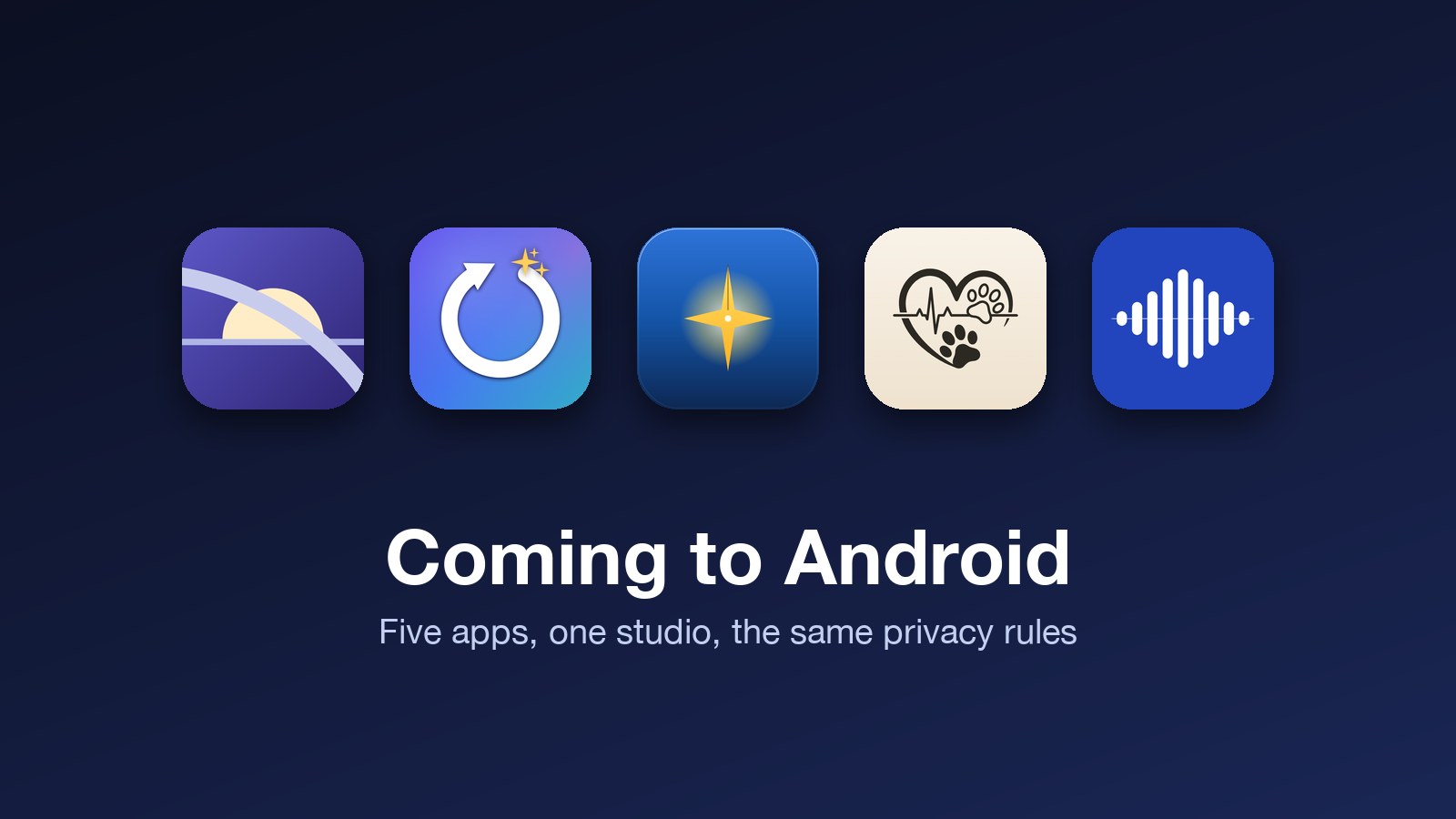
For most of this studio's life the answer to "is there an Android version" has been no. That changes this month. Every app in the lineup now has a native Android build, each one written from scratch in Kotlin and Jetpack Compose rather than wrapped or cross-compiled, and each one submitted to Google Play over the last two days. None are live yet. Google's first review of a new developer account usually takes several days, so treat everything below as a preview, not a release note.
Two things did not change. The apps keep the same rules about your data on both platforms: no analytics, no accounts unless a feature genuinely needs one, and processing on the device wherever the device can do it. And the privacy policy for each app now describes the Android version in the same plain language as the iPhone version, so you can read exactly what a given feature sends and where.
DayCast: Plan + Reflect
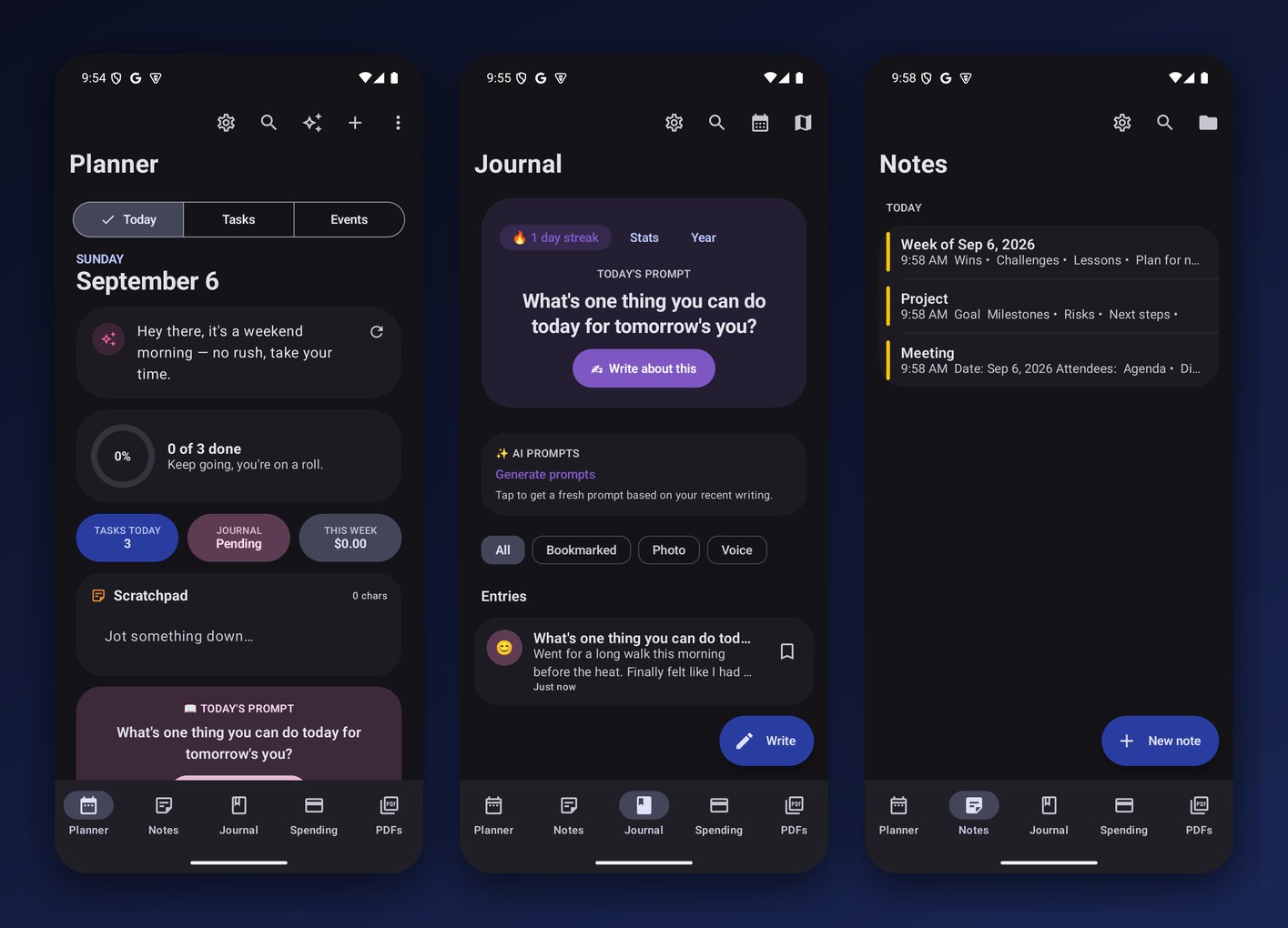
The journal, planner, spending tracker, and PDF shelf, rebuilt for Android with all 64 of the iPhone screens. Journal entries and financial records are encrypted at rest with a key held in the Android Keystore, the same idea as the iOS Keychain. On-device AI, the journal prompts, reflections, summaries, and proofreading, runs through Gemini Nano on phones that have it, with graceful fallbacks on phones that do not. The steps, sleep, and workout summary reads from Health Connect instead of Apple Health, off by default and read-only. Cloud sync is optional and off until you turn it on. The free tier shows one banner ad; Premium removes it.
Renewl
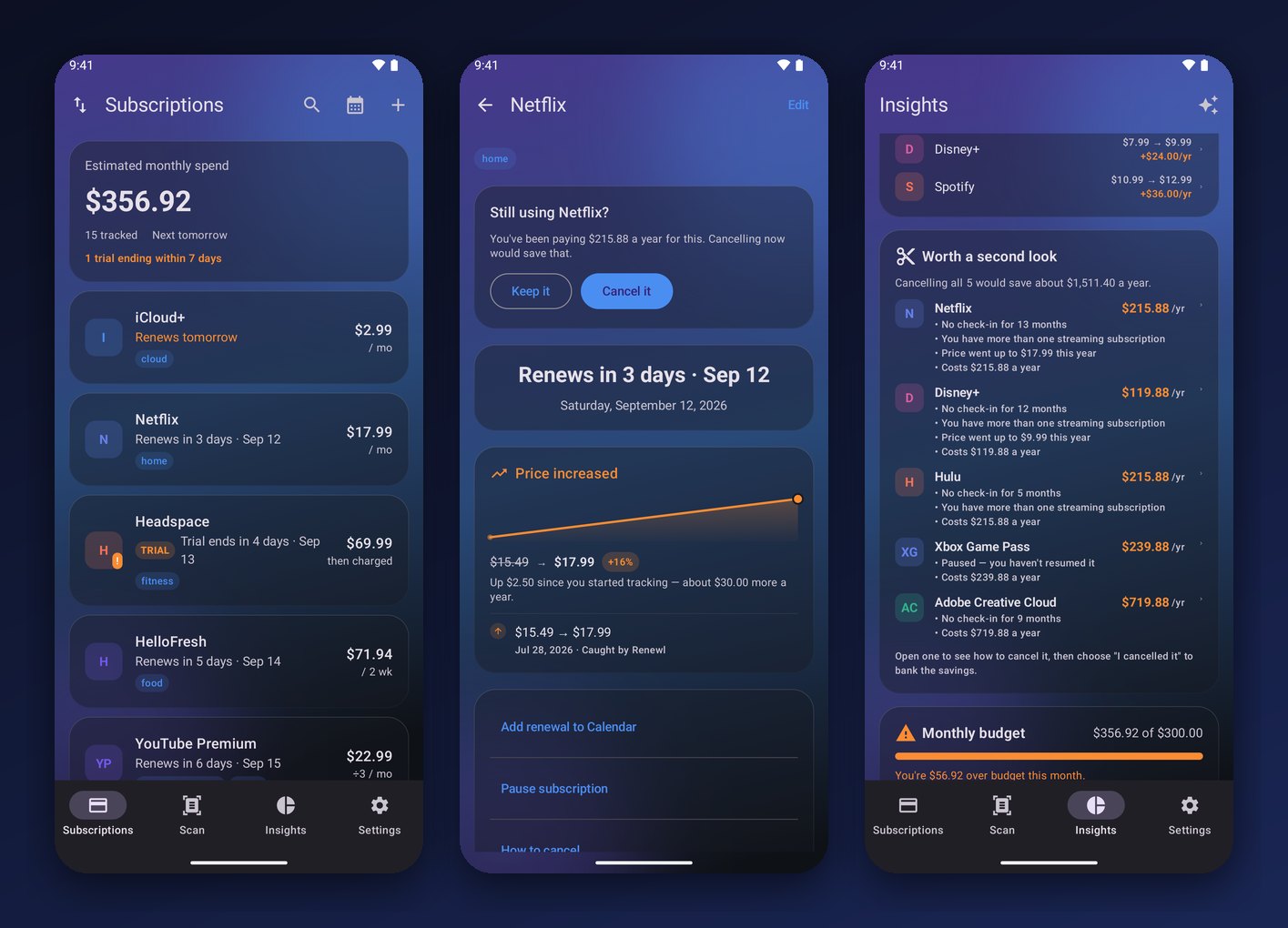
The subscription and free-trial tracker, and the one I finished last, so it ships with everything from the latest iPhone release: custom billing periods, tags, a full price history for each subscription, category budgets, a 12-month forecast, and the "worth a second look" list that ranks what you could cancel and tells you why. Receipt scanning runs on Google's on-device text recognition. There is still no bank login and never will be. Sync is optional and, if you turn it on, goes to a private app folder in your own Google Drive that only Renewl can see. Three home screen widgets round it out: next charges, a trial countdown, and a budget ring.
VeraCast
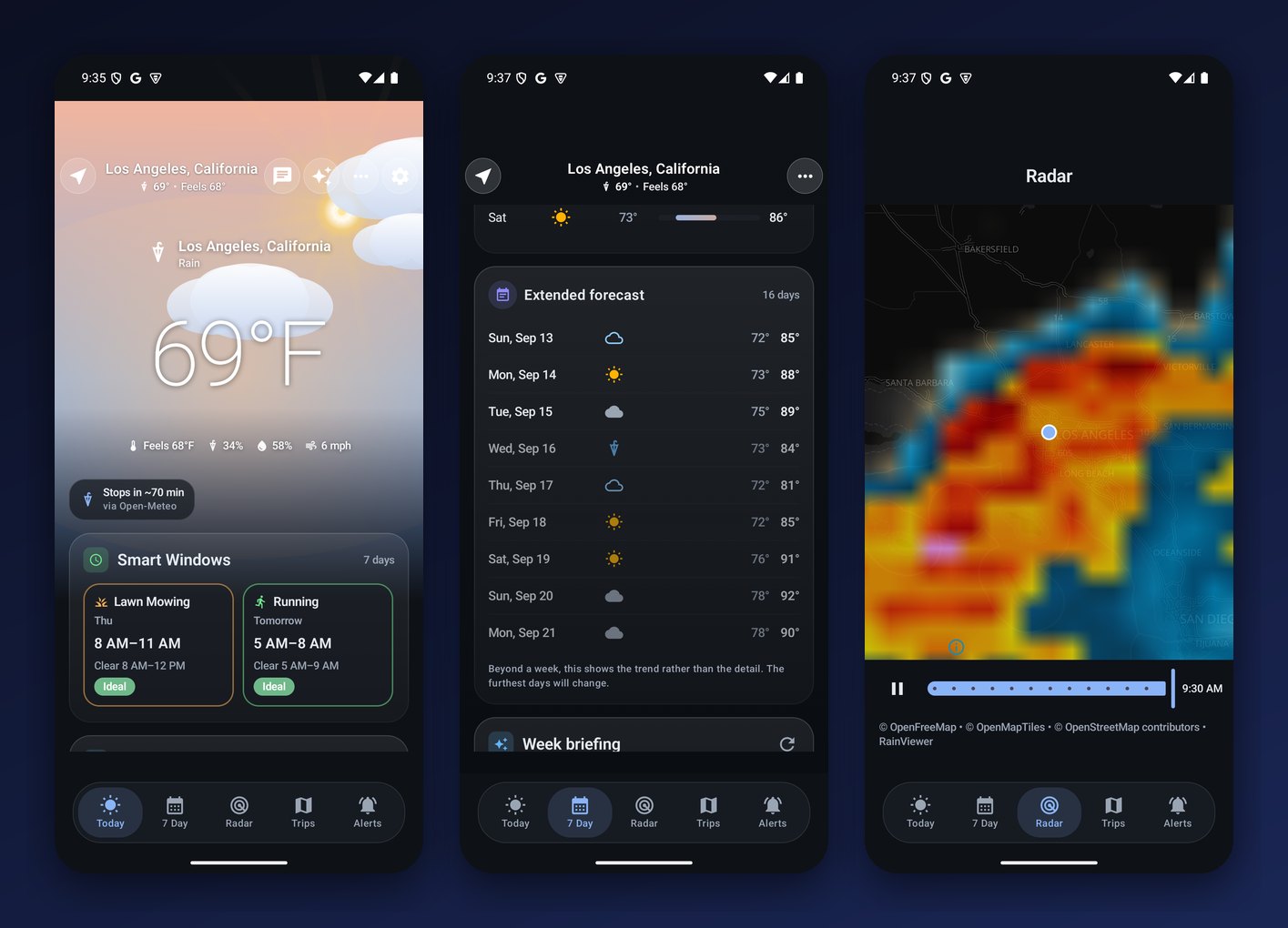
The weather app that explains itself. On Android every AI feature stays on the phone: the daily briefing, the Ask Vera questions, the spoken Now Brief, and the horoscope all run on Gemini Nano, or on a small open model the app downloads once if your phone lacks it. That is a stricter setup than the iPhone version, which falls back to a cloud model on older hardware. Forecasts come from Open-Meteo, severe weather from the National Weather Service, radar from RainViewer on an OpenFreeMap base. There is a Wear OS watch app with a complication and an Android Auto screen for the car.
VitalLedger
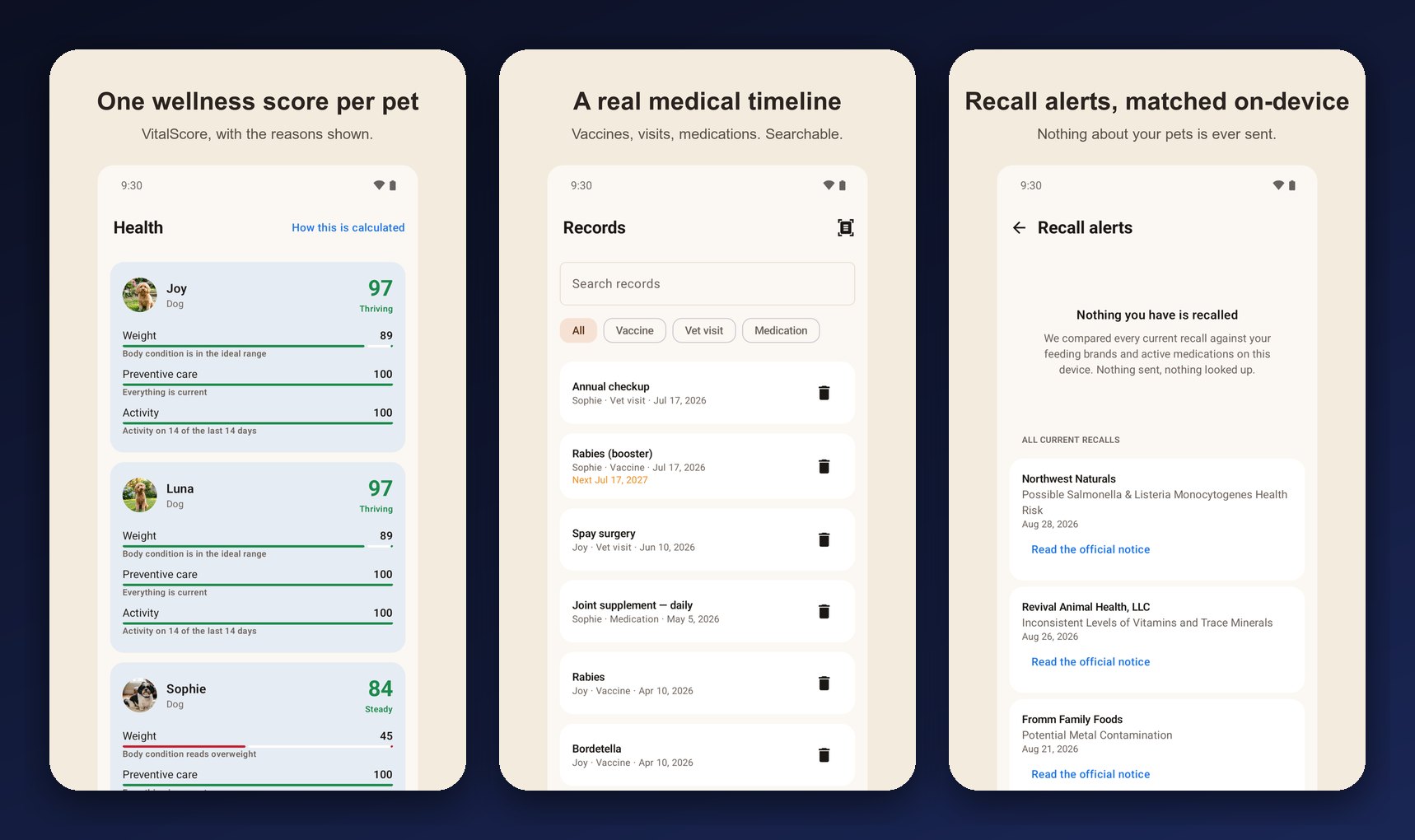
The pet health tracker: a wellness score per pet, a real medical timeline of vaccines, visits, and medications, weight trends, expenses with scanned receipts, and recall alerts matched on the device against your feeding brands. The Wear OS app shows today's reminders on your wrist. Sync on Android uses a Google account and is off until you turn it on; without it, VitalLedger works forever with no account at all. Sitter Mode makes a read-only care card for whoever is looking after your pets.
WavCast
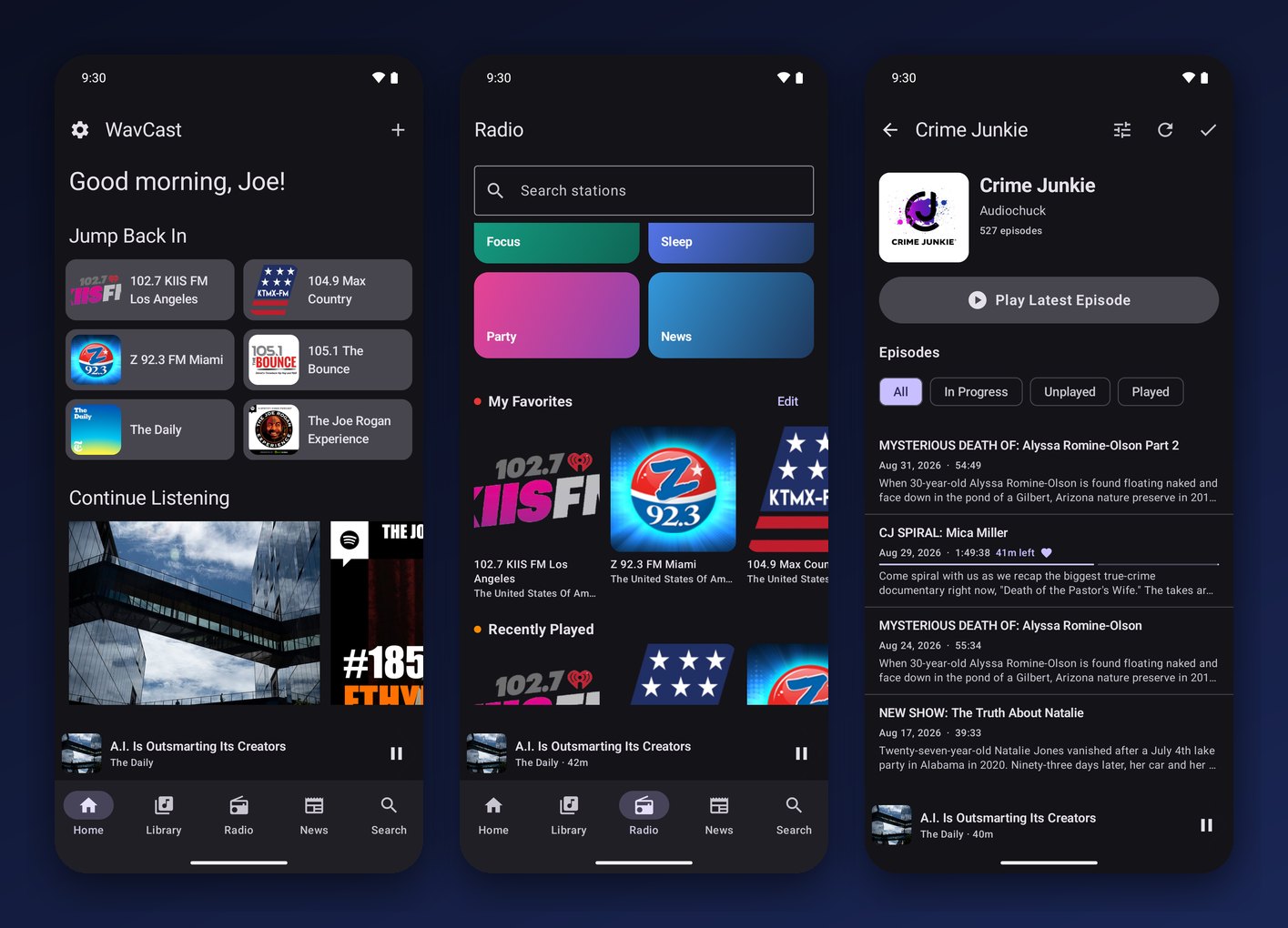
Podcasts, live radio, and local news in one app. Speed control, silence skipping, a sleep timer, chapters, a 10-band equalizer with Voice Boost, radio alarms, smart playlists, and transcripts generated by the phone's own on-device speech recognizer. WavCast is free and supported by a banner ad in the free tier, with a one-time purchase to remove it. Cloud sync on Android is optional and tied to an anonymous identifier, not to you.
What is deliberately different on Android
Some things are platform features, not app features, and I did not try to fake them. The iPhone Live Activity for an upcoming renewal in Renewl has no Android equivalent, so it is a widget instead. Apple Wallet import stays on iPhone because only iPhone has it. iCloud sync becomes Google Drive or a Google sign-in depending on the app, always optional, always explained in the policy. Where Android has something iPhone does not, like Health Connect or Android Auto, the app uses it.
When
As soon as Google approves each one. I will update this post with Play Store links as they go live, and the app pages at jcmobileappstudio.com/apps will show a Google Play badge next to the App Store one. If you want a note when they land, the newsletter at the bottom of this page is the quiet way to get it.
Screenshots are from the builds submitted to Google Play on September 5 and 6, 2026, on Pixel and Galaxy hardware and emulators. Final store listings may differ slightly.
Comments
Be kind and stay on topic.
No comments yet. Be the first.